

This story first appeared in Advisorator, Jared’s weekly tech advice newsletter. Sign up to get more insights every Tuesday.
On a recent evening, I had a mild panic after trying to call my wife and repeatedly getting the same error: “Your call could not be completed as dialed.”
She was supposed to come home late that night from an out-of-town trip with some old friends, but I hadn’t heard from her that day and couldn’t recall the timing of her flight. If her phone was merely in Airplane mode, my calls should have gone to voicemail instead of failing to connect outright.
In the end, it was just a random network connectivity glitch, solved by a reboot after my wife got off the plane. But as a member of the in-law family group chat was quick to point out, I could have avoided this brief feeling of unease by simply tracking my wife’s location through her phone.
Of course, I’m well aware of the location-sharing features that smartphones offer. Apple and Google both make it easy to let friends and family track your whereabouts, which in turn gives those companies valuable location data (and, in Apple’s case, reinforces the social pressure to have an iPhone).
My wife and I have just never wanted to track each other this way, having agreed that it’d be creepy for either of us to do so. This weekend’s travel blip did not change our minds.
Part of the problem is that to enable these features, your phone’s mapping app must check your location constantly, not just when you’re looking up a business or getting directions. But the bigger concern is simply about personal privacy, and being able to go somewhere without it becoming anyone else’s business—even people you know and trust.
I can see the other side of the argument: You’d regret not having this feature when you really need it, and it’s not like you have anything to hide.
True, but that’s always the kind of argument tech companies use when a product erodes personal freedoms. As a result, you can no longer walk down the street without being monitored through neighbors’ doorbell cams, and pretty soon you might be recorded by anyone wearing a pair of sunglasses. Meanwhile, the entire ad-supported tech economy revolves around being so invasive that it feels like your phone is recording you, which it turns out people find unsettling even when they’ve done nothing wrong.
While I can’t control those larger dynamics, I can at least second-guess whether my own fears justify yet another layer of surveillance. No judgment if you come to a different conclusion, but I’m not ready to make that leap even after some momentary nervousness. (Ask me again about this in couple years, though, when my kids have smartphones and are old enough to get into actual trouble.)
How to see who’s tracking your location
Location sharing between iPhone users:
To find out who can see your location, open Apple’s Find My app and head to the People tab. Turn off location sharing by tapping a person’s name and selecting “Stop sharing.”
If you do want to share your whereabouts with another iPhone user, there are several places to do so:
- In the Find My app: Under the People tab, tap the + button, select “Share My Location,” then select one or more contacts.
- Via iMessage: Tap + in any chat window, select “Location,” and choose how long to share.
- In the Family Sharing menu: You’ll find this under Settings > Family > Location Sharing. Selecting a person here will also share the location of all your Find My-compatible devices, including Apple Watches, iPads, and AirPods.
- In Apple Maps: Swipe down and select “Share Location.” This only shares your current location and does not automatically update.
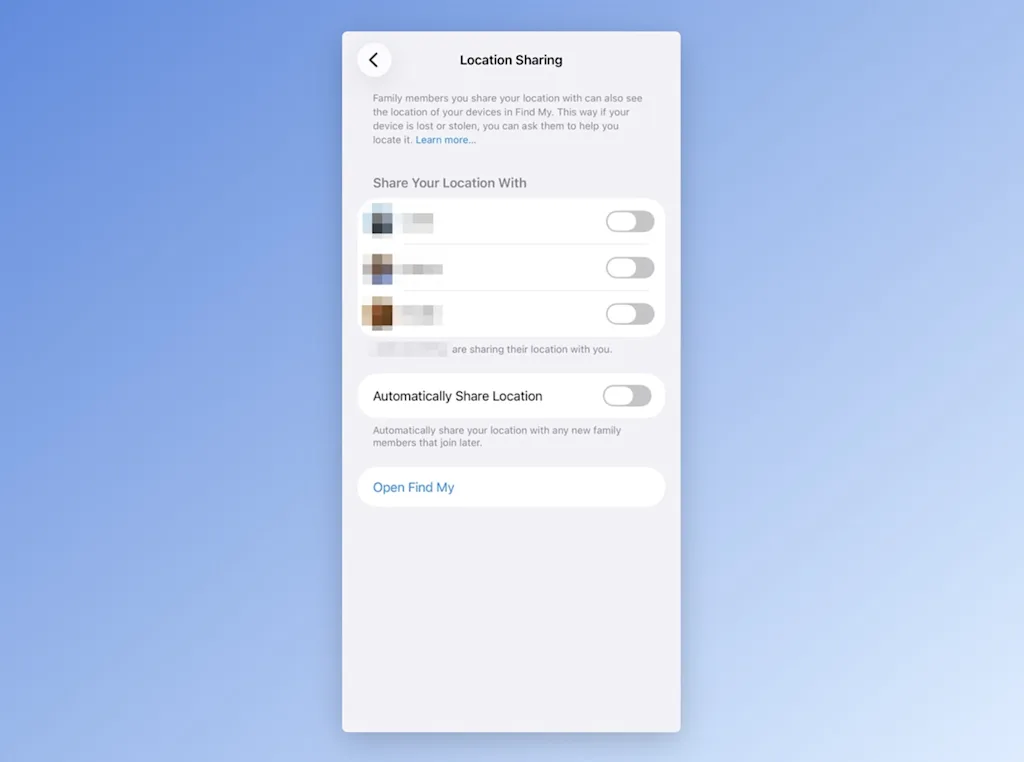
Note that once you’ve shared a location with someone, they can set up notifications for each time you leave an area, arrive at a place, or fail to show up at a location during a set schedule. Your approval is only needed for recurring alerts, not one-time notifications.
As an alternative to sharing your location indefinitely, consider sharing for just one hour or the rest of the day. You can choose this option in the Find My app or iMessage, but not the Family Sharing menu.
Location sharing for Android and Google Maps users:
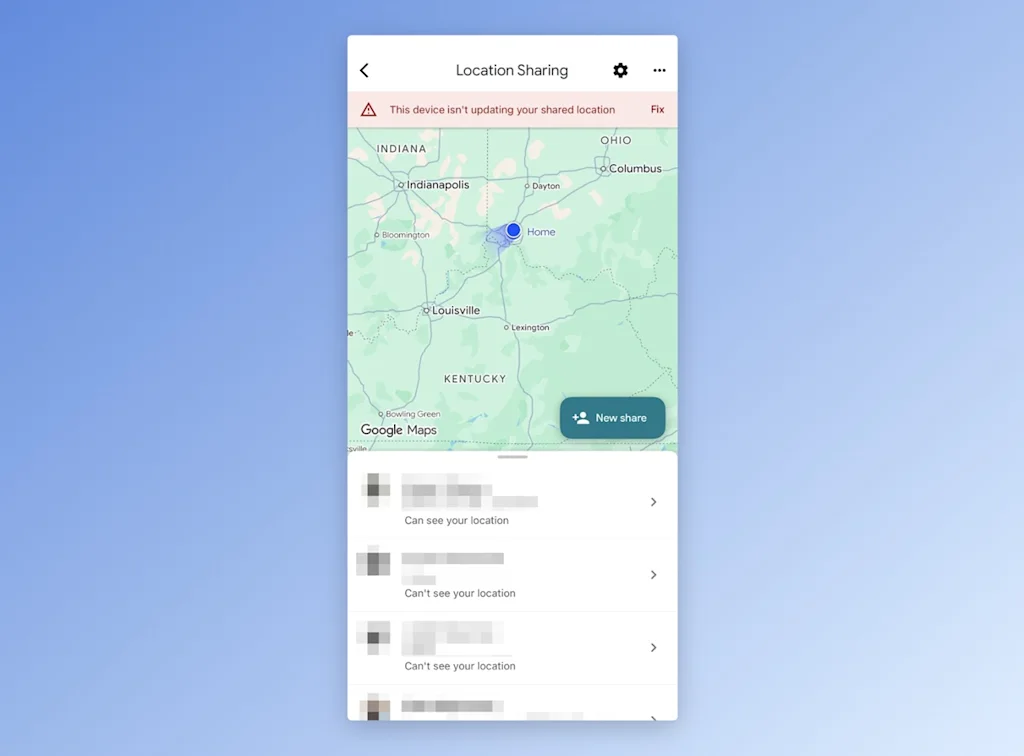
Google has its own location sharing system that works across Android and iOS. If you have an iPhone and aren’t sharing through Apple’s Find My app, you may still be sharing through Google Maps instead.
Here’s how to see who can track you via Google Maps:
- In the Google Maps app (iOS and Android): Tap on your profile picture, then select “Location Sharing.” (Those you’ve shared with in the Find Hub app will also appear here.)
- In the Find Hub app (Android only): Just look under the People tab. (Those you’ve shared with in Google Maps will also appear here.)
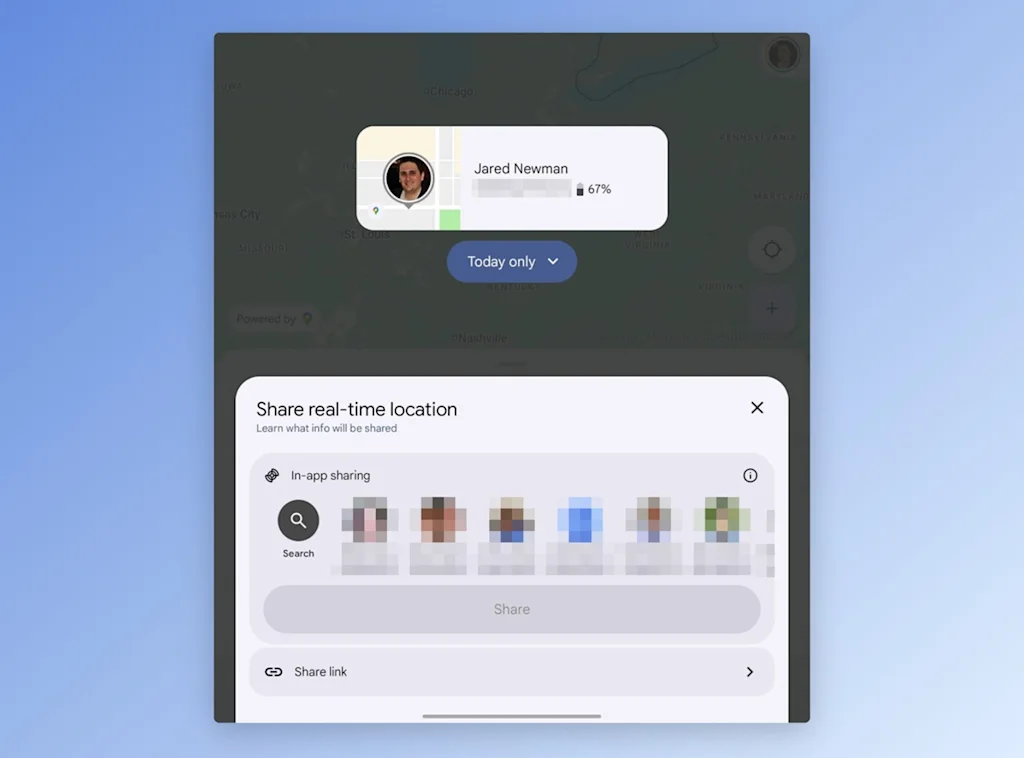
If you do want to share your location with others, you can do so by hitting the + button in the menus above. Both allow you to share for one hour, the rest of the day, or indefinitely, while the Find Hub app has an additional option to share for a limited number of hours.
As with Apple’s system, anyone who can see your whereabouts can also set up alerts for when you leave or arrive at a location. You’ll get an email when this happens, but the only way to disable it is to stop sharing entirely.
This story first appeared in Advisorator, Jared’s weekly tech advice newsletter. Sign up to get more insights every Tuesday.