
For most regular tech-using mortals, thinking about AI means thinking about ChatGPT or Gemini. For those in the know, though, there’s also Anthropic’s Claude. And whether you’re among the Claude-embracing crowd or someone who’s never ventured into its embrace, this off-the-beaten-path productivity powerhouse is packed with potential that you’ve probably never noticed.
Claude came online five years ago, when a group of former OpenAI employees decided to branch off and build their own generative artificial intelligence engine. It’s become the go-to AI resource for coders, designers, and ambitious automaters thanks to its powerful tools and firm focus on productivity.
But Claude can also be a helpful assistant in a simpler, more traditional sense. And its unique approach to AI offers some significant advantages over its more commonly known contemporaries.
The challenge is mostly just knowing where to begin and what Claude is capable of—and that’s equally true for the diehard Claude devotees and the more recent Claude-curious converts.
Here’s your guide to some of Claude’s most interesting and useful surprises.
1. Avoid the AI accuracy pitfalls
We all know by now that generative AI is inherently prone to “hallucination”—or, in simpler terms, “lying and making stuff up.” And Claude is no exception.
But one interesting ability Claude offers is being able to effectively respond to requests to dive deeper, take its time, and make sure it’s getting something right. Such commands can make a meaningful difference in the quality of the info you’re given.
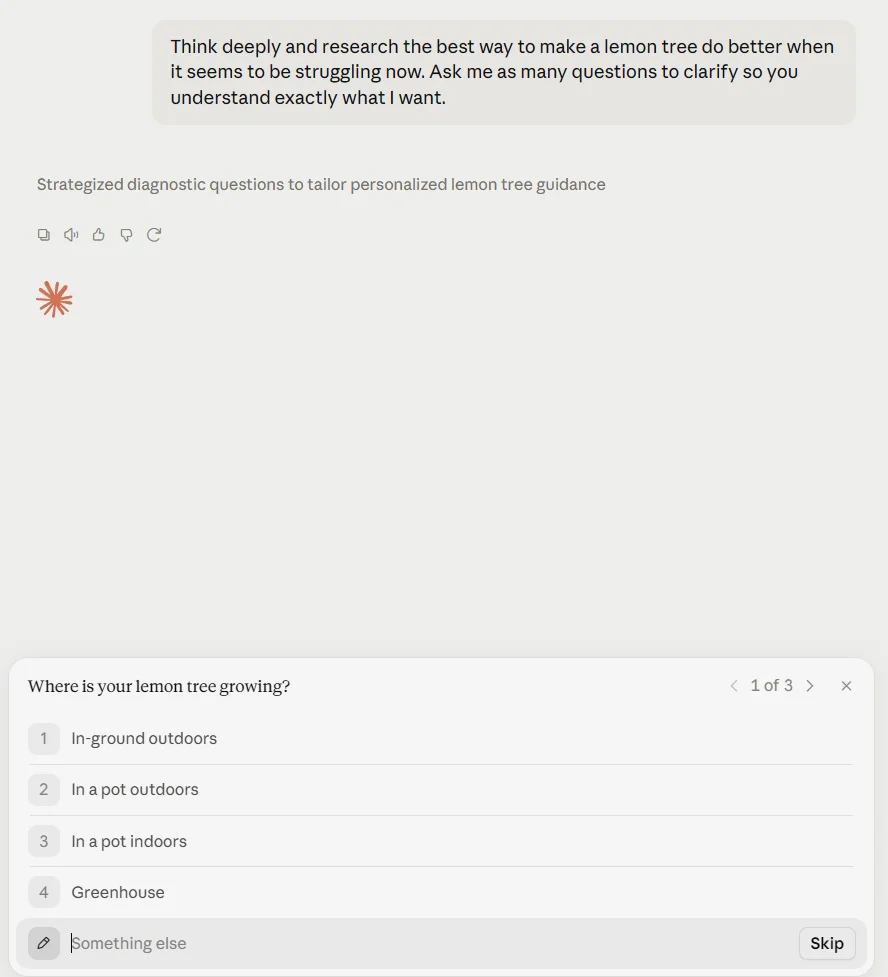
The next time you’re asking for some manner of answer, try telling Claude to “think deeply” and “research” as a part of your prompt. And if you really want to increase your odds of receiving info that is both thorough and accurate, tell it to double- or triple-check its work and offer a grade of its confidence level as far as accuracy is concerned. You can also ask it to tell you something only if it’s 100% certain it’s correct. Or to calculate a precise percentage value of its certainty and explain its reasoning for anything less than 100%.
These types of prompts will take more time to process, but the quality and reliability of the answers—and, equally important, your ability to assess those answers and view them in proper context—makes the wait worthwhile.
2. Inject some back-and-forth into your interactions
Another worthwhile Claude advantage is how the service can prompt you back to ask for extra info and then craft a more meaningful answer. The onus, however, is on you to ask for this asset.
For any question you’re posing, instruct Claude to give you clarifying questions in order to improve its understanding. If you really want to get wild, combine that with some of the tips from our previous item! You’ll get simple, interactive prompts to fill in and provide the system with more details, and then it’ll come back with an even more personalized and robust result.
3. Get visual
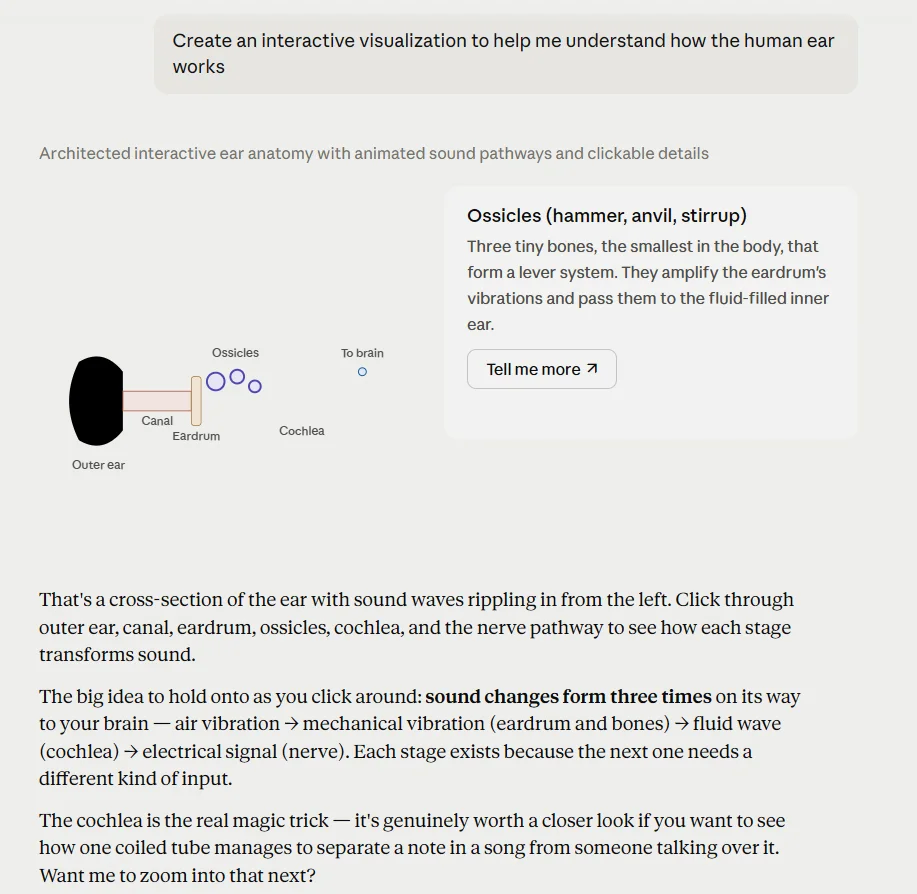
Speaking of interactivity, one of Claude’s most helpful strengths is how it can create interactive diagrams, charts, and other visualizations for you as a part of its responses.
Ask it to make an interactive visualization of anything you’re hoping to understand better. Or get more specific, if you want, and ask for something like a flowchart, an org chart, a timeline, or a process map. You might just be surprised by what it delivers.
4. Help you calculate
Claude can go beyond basic visuals and create fully functional widgets for you right within its chat interface—everything from purpose-specific calculators to unit converters and budgeting tools or even instant recipe-scaling wizards.
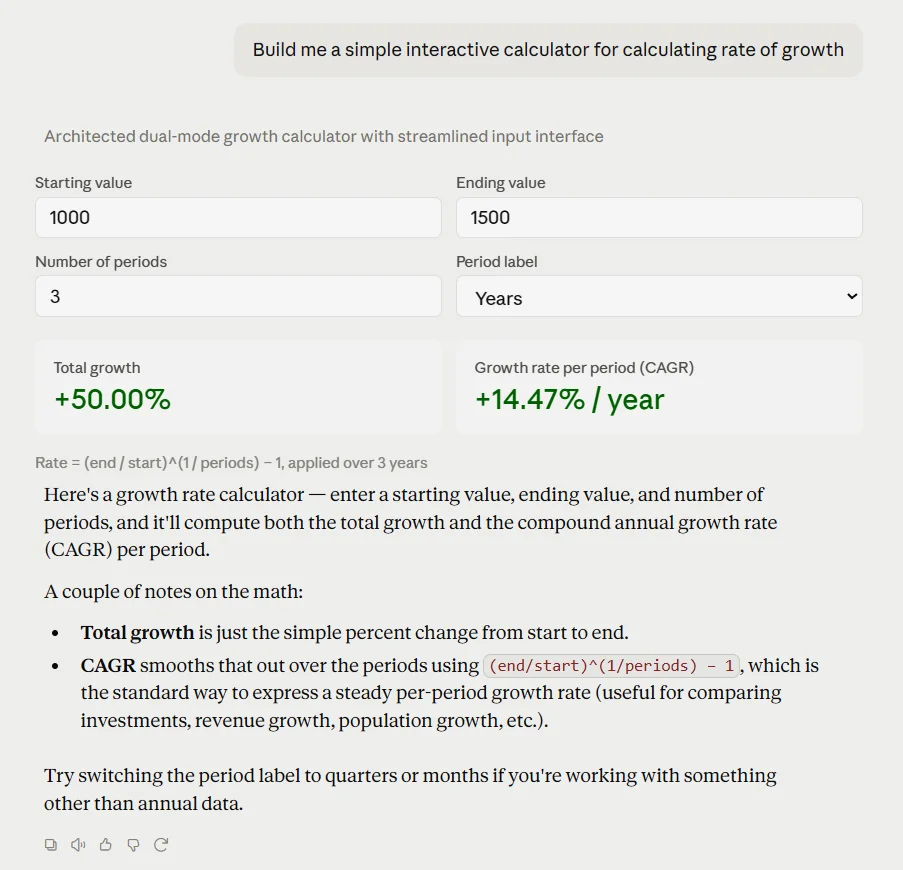
Once more, all you’ve gotta do is ask.
5. Map anything
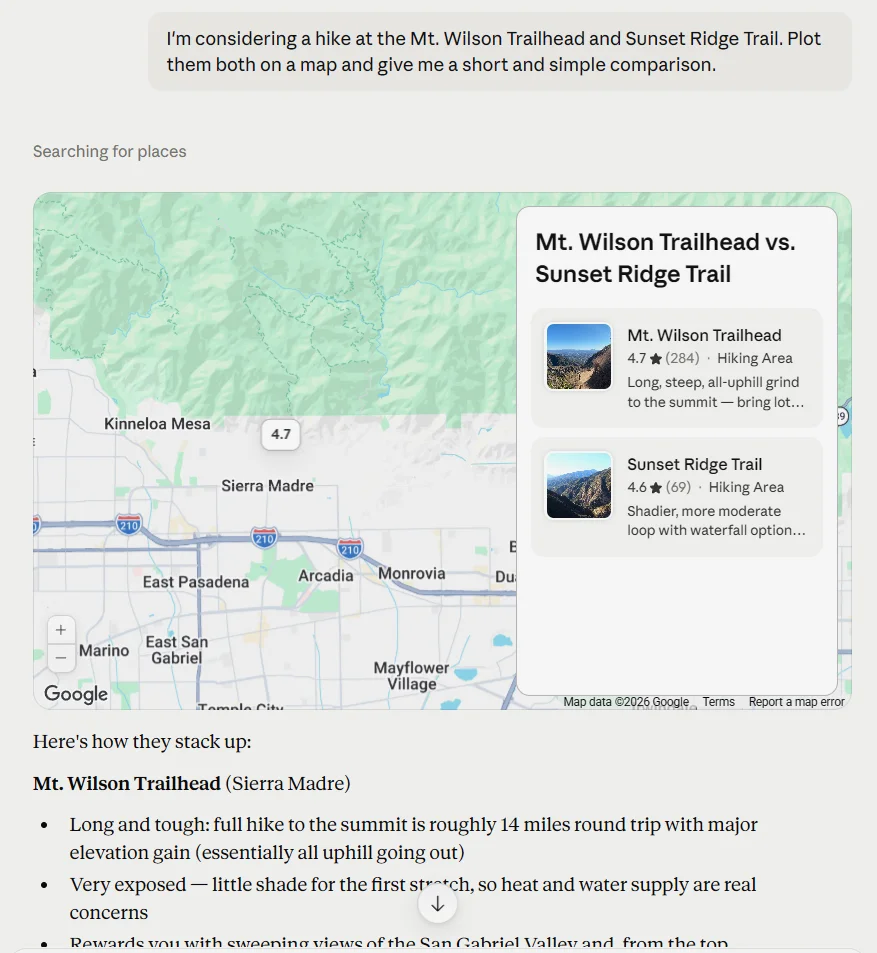
Claude is also able to create custom interactive maps that go above and beyond what Google Maps can accomplish. Ask it to plot different locations on a map and compare them to get a taste of its cartographic prowess—then keep experimenting to see what other kinds of map-oriented creations might be useful for you.
6. Build a custom break
In addition to its productivity chops, Claude can create all sorts of simple games for your mid-chat amusement and/or procrastination. (Don’t worry; I won’t tell.)
Ask it to build you anything from tic-tac-toe to Connect Four, Minesweeper, sudoku, snake, or any number of card games or text-based role-playing games. The only real limit is your imagination.
7. Reshape the web
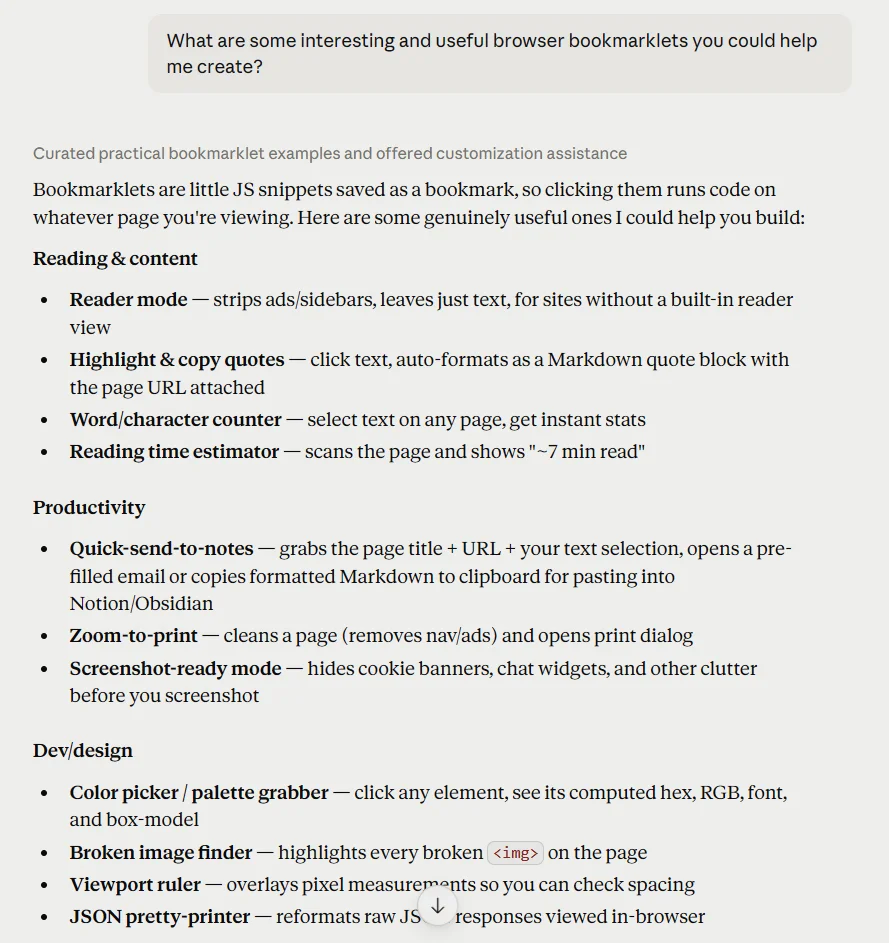
My colleague Jared Newman is a huge proponent of bookmarklets—crafty little miniprograms that live right in your browser and help you bend the web to your will. The challenge with bookmarklets in the past has been understanding enough code to know how to write them.
Claude can handle that heavy lifting for you. You simply tell it what you want to accomplish—creating an instant dark mode switch for any website, for instance, or adding a button to quickly summarize any page. Claude will write the appropriate code and show you exactly how to install it into whatever browser you’re using (which is usually just a matter of dragging something up to your bookmarks bar).
Best of all? If you aren’t sure where to begin, you can just ask Claude itself for ideas.
8. Cough up instant answers
When you need info from the web but don’t feel like doing the digging, let Claude act as your web-wading concierge. Click the + button in the Claude prompt box, make sure “Web search” is enabled, then ask Claude for any manner of information you need—like the latest headlines on a particular topic, a summary of the contents of a specific site or article, or a fact-check on some particular claim you saw on social media.
Claude can also do deep-dive research into any topic and pull together multiple sources on market trends, recent studies, or anything else along those lines—with all the sources clearly indicated and available for your own double-checking.
Combine this with the accuracy-improving actions from our first two tips, and you’ll have a detailed dossier like no other.
9. Chart a personalized path
Building spreadsheets is a pain. But get this: In addition to the standard AI chatbot skill of writing complex formulas for you, Claude can actually create ready-to-roll Excel files on your behalf.
Explain what you need or even dump in a bunch of data, then sit back and enjoy a tasty beverage while Claude takes on the typically headache-inducing task and gives you a downloadable file when it’s done.
10. File away formatting hassles
Spreadsheets aren’t the only area where Claude can help with file creation. Anything you paste in or have Claude create can also be saved into a nicely formatted Word document, PowerPoint presentation, or even PDF.
Just tell Claude what you need and watch it do the work.
11. Convert to your heart’s content
File creation aside, Claude can spare you the pain of searching for some random (and, let’s be honest, often sketchy-seeming) free conversion site and switch files between different formats for you on demand. Whether it’s a text document, an image, or whatever, just upload any file and ask for another format—and, in most cases, Claude will oblige.
12. Act as your PDF butler
Somehow, in our tech-drenched year of 2026, filling out a PDF form is still a nightmare. Well, nightmare no more. Plop any PDF into Claude and give it the necessary info, and it’ll fill out the fields for you and spit back a polished, final file for your downloading delight.
13. Turn into a total PDF ninja
While we’re thinking about the awfulness of PDFs, Claude can do more than just fill out a form in that format. It can also merge multiple PDFs into a single file, split a single PDF into multiple documents, and perform other PDF-tweaking chores like rotating and watermarking for you.
Yes, please—and thank you.
14. Manage your Google apps—and beyond
As helpful as Claude can be on its own, the service’s real value lies in the many ways it can assist you by interacting directly with other apps and services. To get started, click the little + icon in Claude’s prompt box, then select “Add connector” followed by “Browse connectors.”
You’ll see a sprawling list of places Claude can interface with and enhance—searching through your emails in Gmail, for instance, juggling your Google Drive files, managing your Google Calendar agenda, and onward from there.
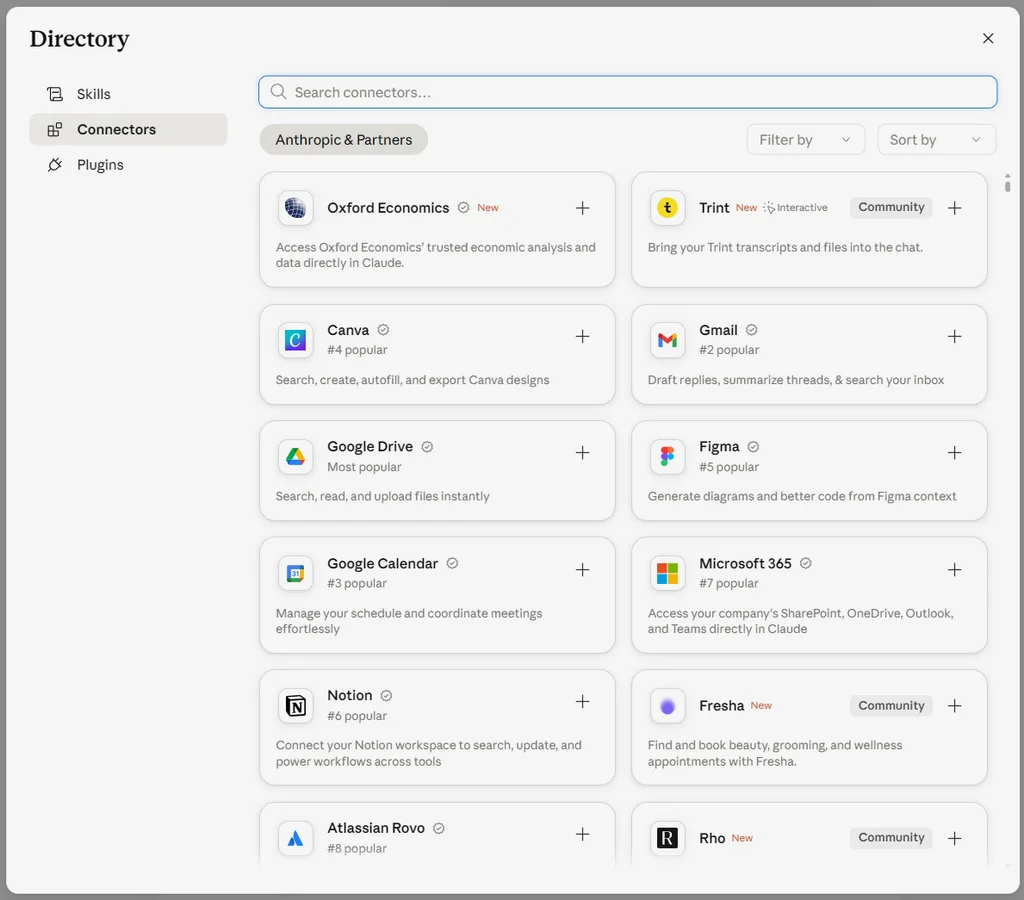
The list is absolutely massive, and as long as you’re comfortable with allowing Claude that kind of access (and any organization you’re associated with allows it, of course), it can present a whole new level of time-saving productivity potential.
15. Get your GIF on
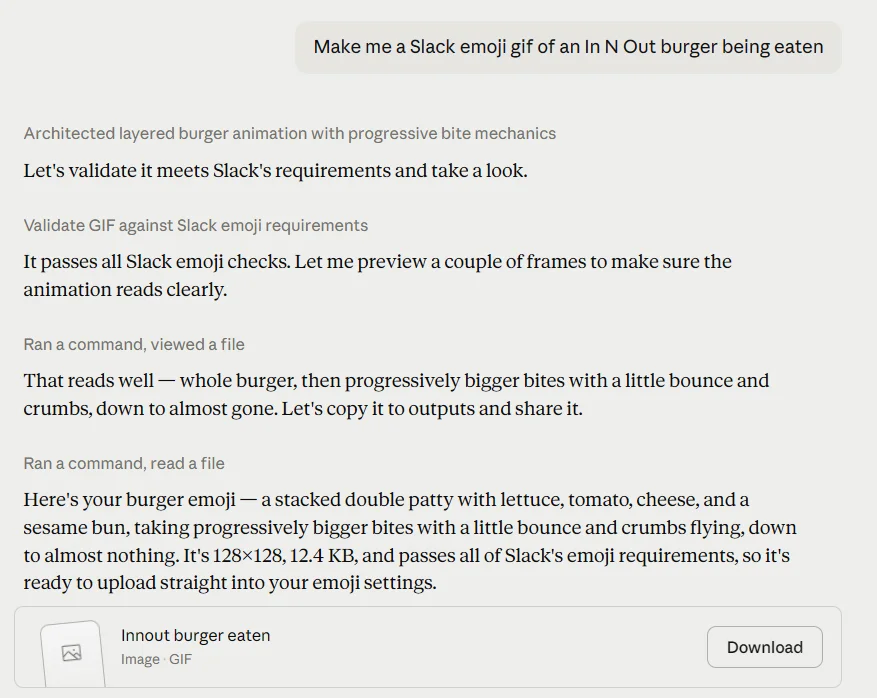
Perhaps the least serious but most satisfying trick in this list: Claude can create custom Slack emoji GIFs for you to use as reactions in your chats. Click the + icon in the prompt box, select “Skills” and then “Browse skills,” and find and activate the “slack-gif-creator” skill in the list of options that comes up.
Then, back in the regular Claude prompt, just ask Claude to make you any Slack emoji GIF your zany brain comes up with—and watch and wait for your colleague-entertaining satisfaction to arrive.
Bonus: Try some Gemini tricks next
All of the tips in this article are specific to Claude’s strengths, but Claude can also match many of the off-the-beaten-path abilities associated with Google’s Gemini AI platform.
If you’re still hungry for fascinating feats to stretch Claude’s powers, check out my recent collection of incredibly useful things you didn’t know Gemini could do and try out some of those tricks with Claude.
It won’t be able to handle every single thing in the list, but you’d be surprised by how many of those same ideas will lead to success in this arena, too.
Want even more practical tech knowledge? Treat yourself to my free Cool Tools newsletter and get a new little-known tech treasure in your inbox every Wednesday.