
Planning to hit the road this holiday season? Or maybe just thinking about an extended drive of some sort for sometime in the new year?
The next time you’ve got a driving adventure ahead of you, today’s Cool Tools discovery is exactly the new virtual companion you need. It’s a truly cool app I encountered recently that enhances your standard navigation setup and offers some really smart extras that’ll make whatever trip you’re taking infinitely more interesting—and enjoyable.
Lemme show ya what it’s all about.
This tip originally appeared in the free Cool Tools newsletter from The Intelligence. Get the next issue in your inbox and get ready to discover all sorts of awesome tech treasures!
Next-level navigation
So, we’ve all got our standard navigation go-to—be it Google Maps, Waze, or (maybe?) even (gasp!) Apple Maps (hiccough).
But in addition to those basic getting-you-where-you-need-to-go basics is an opportunity to inject some extra entertainment into your journey along the way.
➜ And that’s precisely what an app called Roadtrippers is all about.
Roadtrippers is a service that helps you find worthwhile stops and sights along whatever route you’re taking. Whether you’re looking for parks and monuments, activities and experiences, or even just especially interesting or commendable hotels and restaurants, it’s a spiffy supplement to your standard mapping setup and a welcome way to enhance an adventure.
⌚ Depending on the nature of your trip and how deeply you want to explore your options, you’ll need anywhere from three to 15 minutes to poke around a route and unearth something useful.
✅ To start, either pull up the Roadtrippers website in any browser you’re using or grab the official Android app or iOS app for a phone or tablet—and then:
- Click inside the “Starting point” field within the “Create a route box” on the web or tap the “Start planning your trip” field in the mobile app.
- Fill in where you’re starting and where you’re going. You can use a specific address, if you want, or just stick to a broad city name for either piece of the puzzle.
- At some point along the way, Roadtrippers will prompt you to sign in or create a free account. You can either use an email address or follow the options to sign in via Google, Apple, or Facebook, if you’d like.
- Make sure you pick the “Quick Launch” option, then click or tap through to get your trip a-goin’.
💸 Roadtrippers may prompt you to upgrade to a free trial of a premium plan somewhere in this process, but you can just “X” out of that prompt and continue with the free version. It has plenty of info to keep you busy.
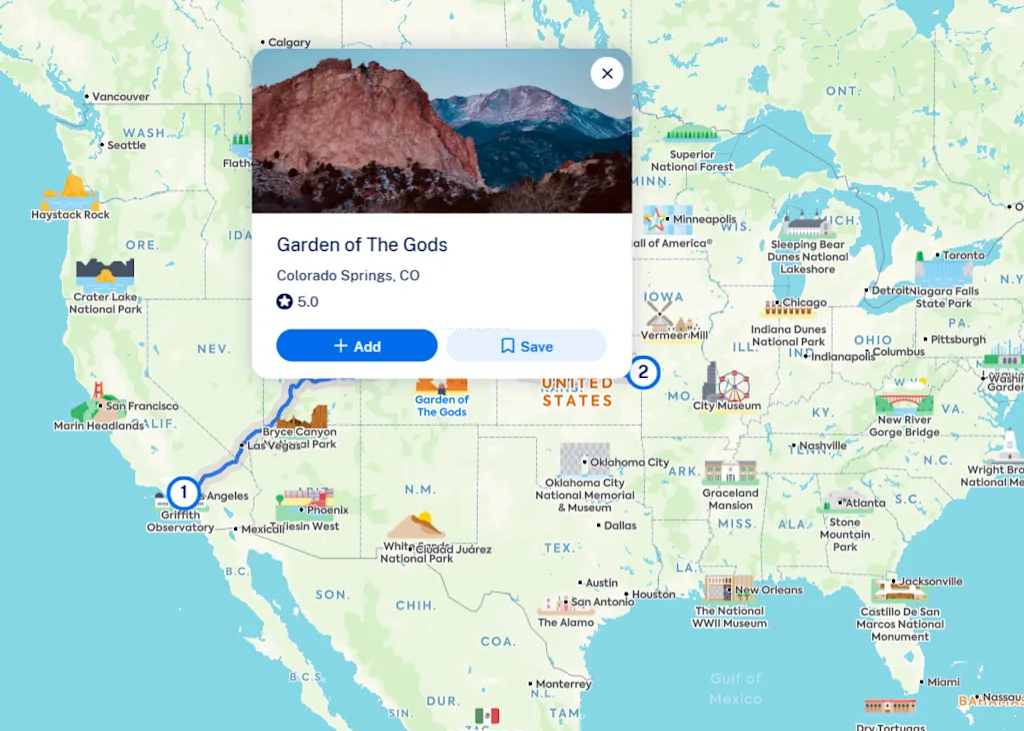
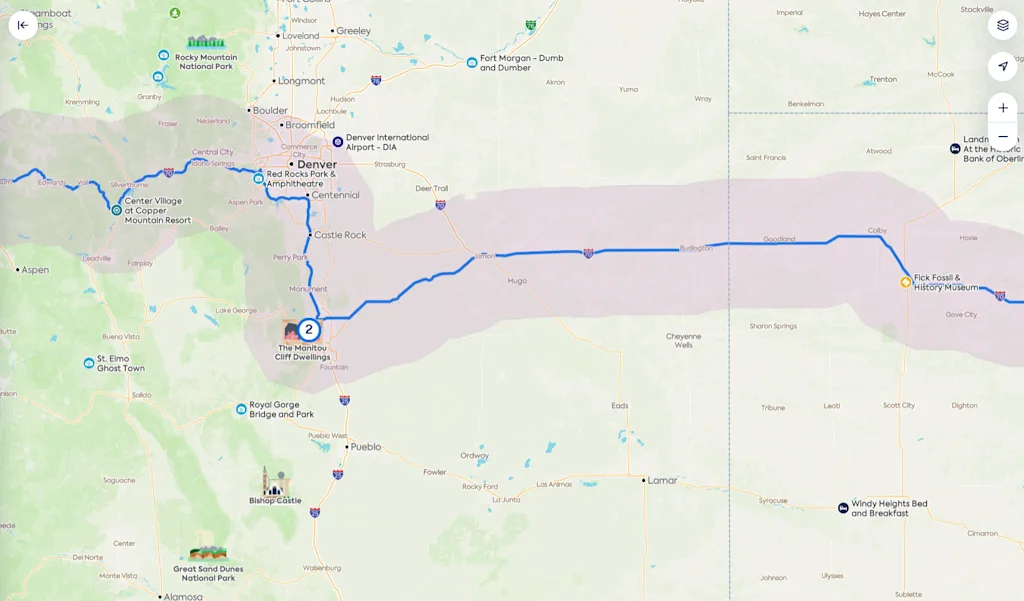
Once you see the map view, just tap any icon along the route to look at it more closely and optionally add it into your trip.
💡 Be sure to zoom in to specific parts of the route, too—using either the standard two-finger pinching gesture on mobile or the plus and minus icons (or, alternatively, a mouse scroll wheel) on desktop—to reveal even more detail and specific suggestions for different parts of your drive.
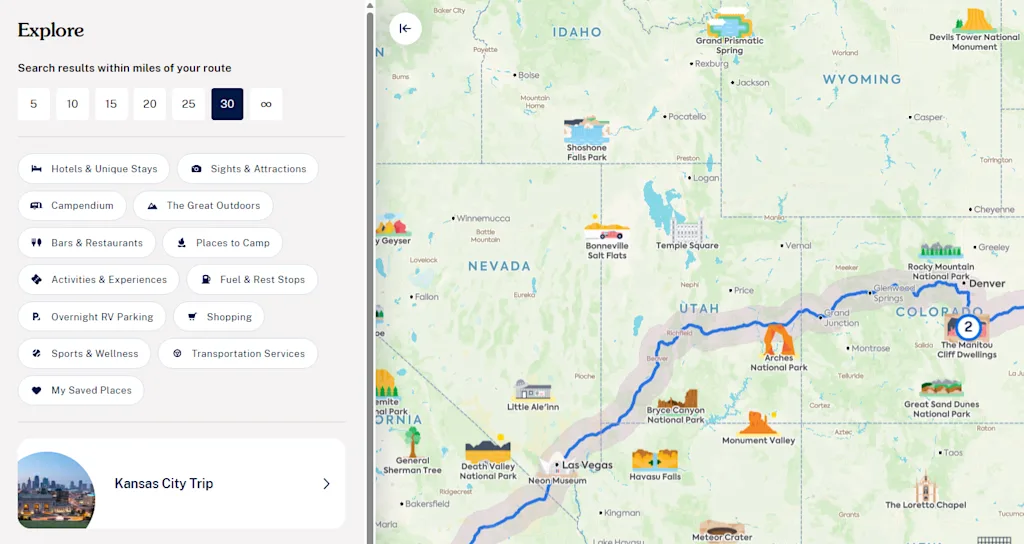
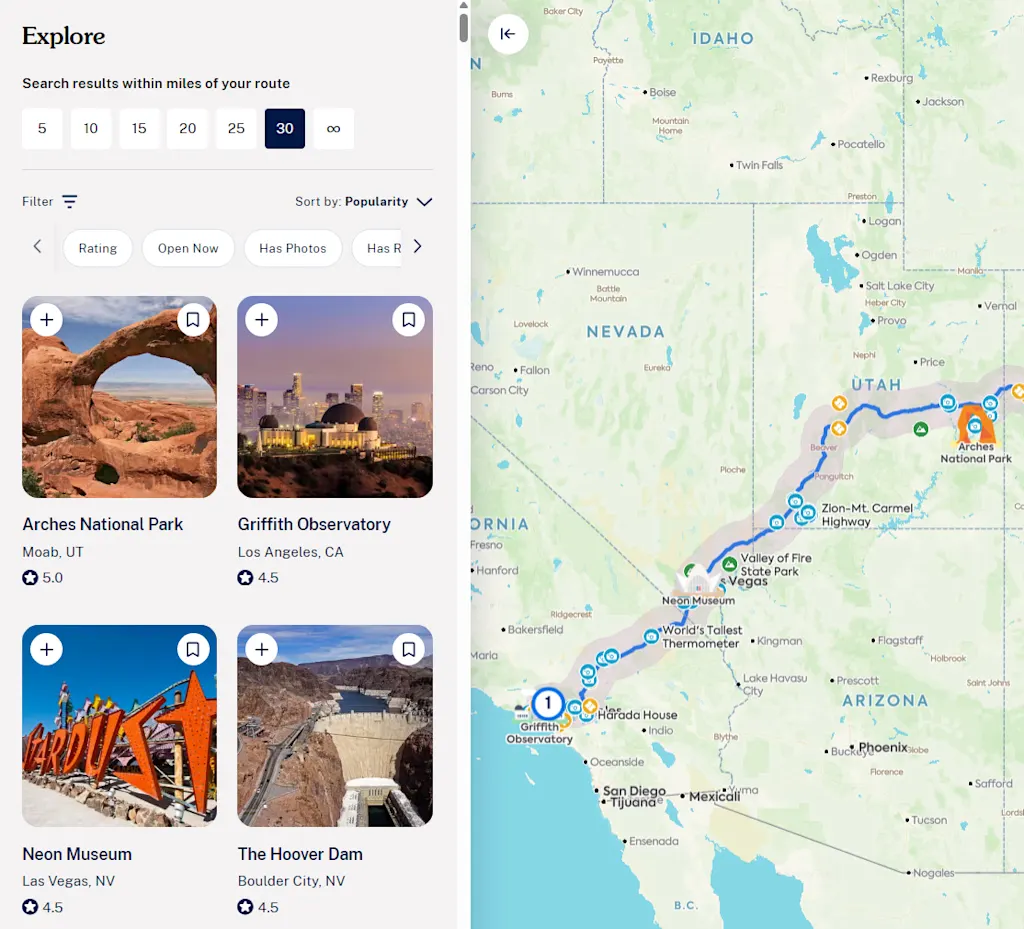
You can also click or tap the “Explore” tab to browse through the available suggestions. There, you can filter by the specific type of attraction, as well as its distance from your route, and also choose to sort by popularity, distance, rating, or number of reviews.
And, once more, anytime you find something interesting, you can add it directly onto your route with a single click or tap.
☝️ Now, a note: Sooner or later, you’ll almost certainly encounter limitations and additional nudges to upgrade to a paid subscription. Those plans do offer some intriguing extras, and if you use Roadtrippers enough over the long haul, they might be worthwhile to consider—if you’re so inspired.
🧠 BUT, you really can make the most of the app and its drive-enhancing intelligence even with just the free base version. Keep in mind:
- Even though Roadtrippers won’t let you add more than three total destinations to any trip you’re planning, you can still use it to look along a route and find interesting places—then simply add ’em into your plans in Google Maps or whatever regular navigation app you’re already using.
- While Roadtrippers allows for only a single saved trip at a time in its free level, you can easily delete any trip you’ve already planned and then reset that limitation so you can start again.
- And if you really get into the Roadtrippers thing and want to go all in with one of its premium plan options, you can find coupon codes that’ll bring the cost down by a good amount right on the Roadtrippers website.
Whether you end up taking one of the premium plans out for a test-drive or just stickin’ with the simpler free version, Roadtrippers is a tremendous resource to add into your trip-planning toolbox.
All that’s left is to plan out the perfect road trip playlist and secure some salty snacks.
- Roadtrippers is available on the web or in native apps for both Android and iOS.
- It’s free to use, at its base level, with optional subscriptions that lift limitations and unlock extra features. Those range from $36 to $60 a year, though coupon codes can lower those costs considerably.
- The site does require you to create an account to do much, but promises not to send you any upsells or other marketing info if you opt out of those options. And it doesn’t share or sell any information.
Treat yourself to all sorts of brain-boosting goodies like this with the free Cool Tools newsletter—starting with an instant introduction to an incredible audio app that’ll tune up your days in truly delightful ways.