

It’s 2025. We’ve got cars that can drive themselves, robots that can program themselves, and all sorts of other mind-bogglingly futuristic tech achievements (for better or, erm, maybe sometimes for worse).
And yet, somehow, I still find myself painstakingly entering stuff into my calendar—when I get a long email about upcoming events from my kids’ school, for instance, or I see a flyer about something out in the world that I want to be sure to remember.
Today’s Cool Tools discovery is a new and improved sliver of sorcery that swipes away all the effort from those sorts of situations and makes managing your calendar laughably easy—no matter what sorts of events you encounter.
It might even, dare I say, be more useful than those futuristic robots.
This tip originally appeared in the free Cool Tools newsletter from The Intelligence. Get the next issue in your inbox and get ready to discover all sorts of awesome tech treasures!
Event adding—without the effort
So, first things first: This tool is actually one we’ve talked about before.
It’s called Agenda Hero, and I wrote about it in these very same Cool Tools quarters about a year and a half ago, when it was first getting off the ground.
In the time since then, though, it’s gotten even better—most notably with a nifty new feature that just came into mix and cranks its real-world usefulness up an extra measure. We’ll get to that in a minute.
➜ But first, what Agenda Hero is all about is taking the hassle out of creating—and, if you want, also sharing—calendar events from unstructured information.
Specifically:
- You can send Agenda Hero an image or a PDF with info about events or even paste over entire paragraphs of text, and in the blink of an eye, it’ll identify and extract all the relevant details and put ’em into proper calendar event format.
- From there, you can add any and all events it’s identified into your calendar (Google Calendar as well as Outlook, Apple, or practically any other platform) with a single click.
- And, if you’re feeling especially saucy, you can create a shareable page with all the event info for anyone else to see and add into their calendar in a similarly simple way.
⌚ All of this takes roughly a minute, maybe two, to do.
And now, in addition to all of that, you can also give Agenda Hero plain-text commands to tweak your extracted events to your specifications—adding in a specific location, setting a certain length, putting a particular name or even emoji at the start of each title, or making the events recurring in any way imaginable, just for a few fast examples.
So, for instance, I took a roughly 500-word email newsletter update from my kids’ school and plopped it over into the Agenda Hero website. It had all sorts of information, with important dates and events sprinkled in here and there. And it would’ve been a massive headache to try to find all the date-specific tidbits and add ’em into my calendar on my own.
With one click, though, Agenda Hero did all that heavy lifting for me—and, in literally a few seconds, gave me a series of ready-to-roll events with all the relevant info extracted from the email.
But the text didn’t mention any specific places, which meant none of the events had assigned locations. So I just asked the site to add that in . . .
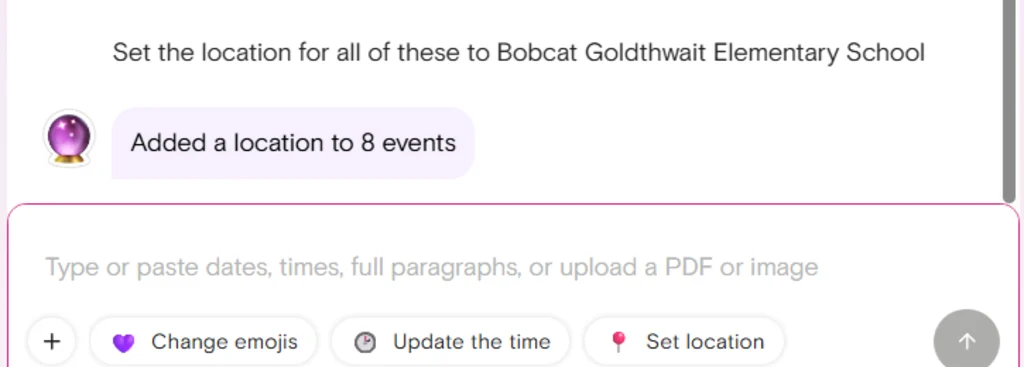
And, boom—a couple seconds later:
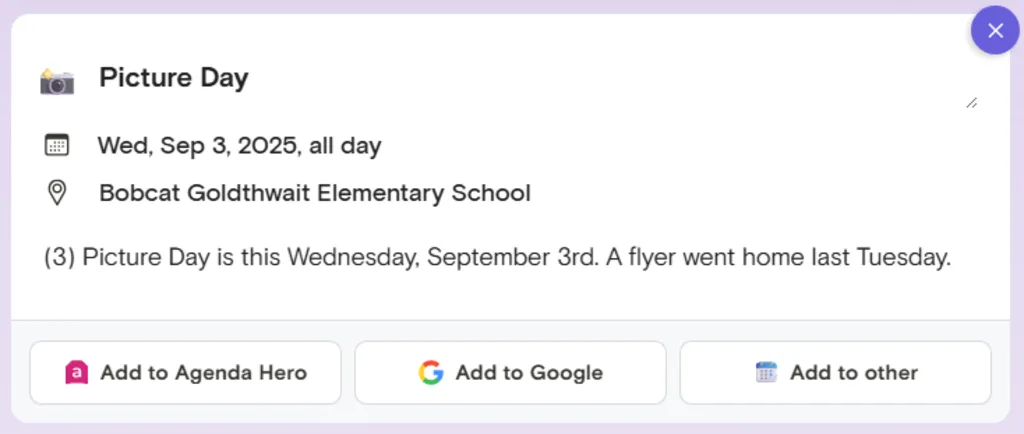
Then, I thought maybe it’d be helpful to put the word “SCHOOL” at the start of all of these events, so I’d know at a glance they’re about the kids and not my own personal schedule. One more request . . .
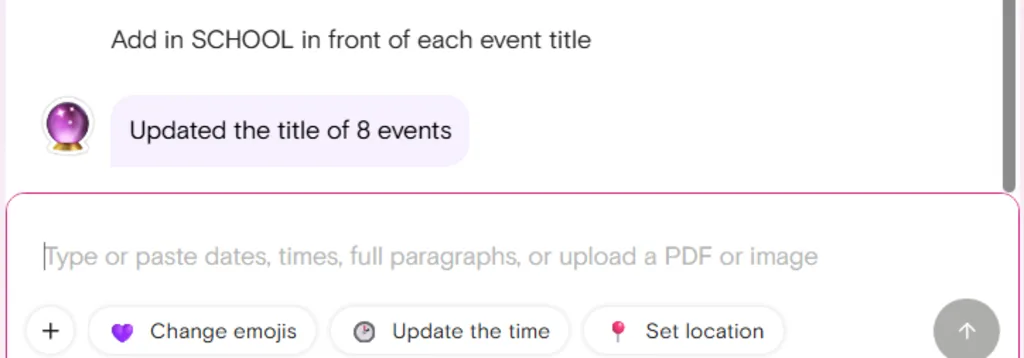
And there we have it.
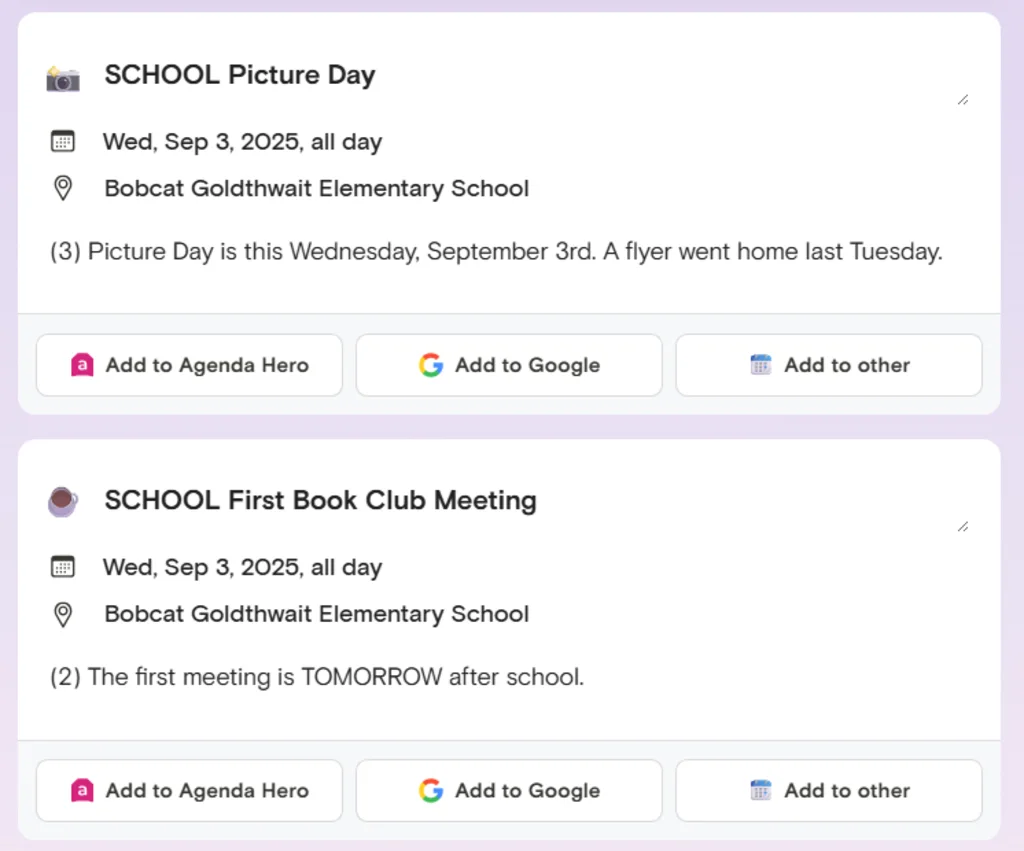
You get the idea.
From there, all that’s left is to click the “Add all to Google” button to have all of these events instantly beamed into my Google Calendar. And/or, if I want to share it with someone else, I can use the “Shareable page” button—which creates a nifty little page like this that anyone can open and then interact with in a similar way.
And remember: The same exact thing works if you upload a PDF or an image that has any manner of event info within it as well. It’s a massive time-saver.
In my experience, it’s also much easier and more effective than trying to do the same thing with Gemini or any other such chatbot. Those services can perform some of the same tasks around basic event extraction, but you run into a wall pretty quickly once you start trying to update events or modify ’em en masse like we did here. And there’s no real option for easily sharing with others—which is a super-practical power that could definitely come in handy in the right sort of scenario.
So there ya have it. Agenda Hero may not be the flashiest high-tech tool out there today—but my goodness, it sure is one of the most useful. And, as usual, all you’ve gotta do is remember to use it.
- You can access Agenda Hero right in your web browser on any device—or, if you’d rather, grab the Android app, iOS app, and/or Chrome extension for easy event adding on any of those fronts.
- The service is free to use without restrictions for all of its core features, and you don’t even have to create an account or sign in, either. The new chat-based event editing ability is free to try a handful of times if you do sign in and then requires a $30-a-year subscription if you want to keep using it.
- Agenda Hero doesn’t do anything disconcerting with the limited amount of data it sees, as per its privacy policy—and it doesn’t share any user data for any manner of AI model training.
Treat yourself to all sorts of brain-boosting goodies like this with the free Cool Tools newsletter—starting with an instant introduction to an incredible audio app that’ll tune up your days in truly delightful ways.