
After months of beta testing, the iPhone’s newest operating system, iOS 27, is now available. This year, Apple focused on artificial intelligence features, smaller improvements, and bug fixes, making it a more subdued update than in years past. But that doesn’t mean iOS 27 lacks truly useful enhancements that can help boost your productivity throughout the day. Here are four of our favorites.
Siri is finally good enough to be your assistant
It’s no secret that Siri, Apple’s personal digital assistant that has lived on the iPhone for nearly 15 years, has never been very useful, especially compared with modern-day chatbots like OpenAI’s ChatGPT or Anthropic’s Claude. But iOS 27 includes a completely revamped Siri, transitioning it from a legacy digital assistant to an LLM-powered agent, capable of having persistent, context-aware conversations that can not only help with your questions, but also carry out time-sucking admin work.
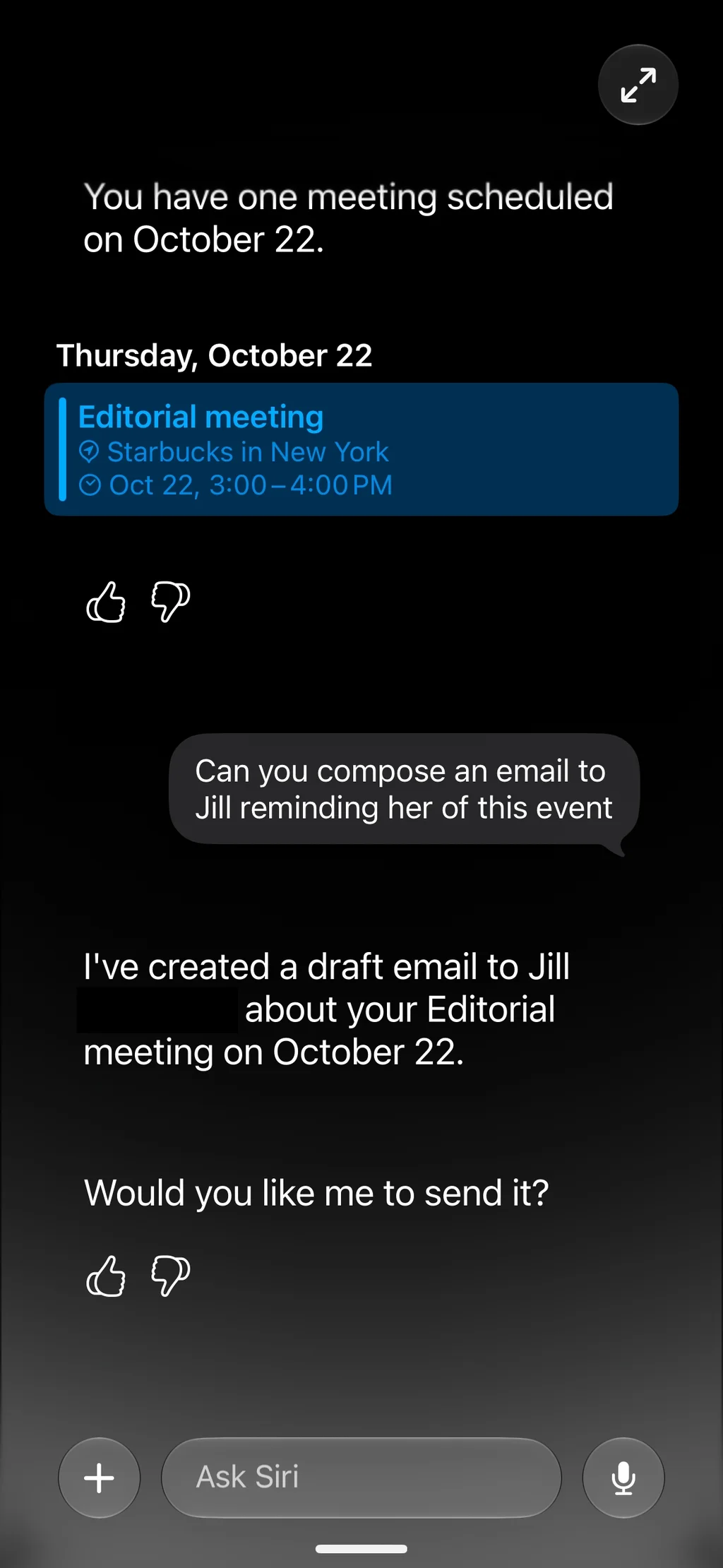
For example, I can ask Siri what my week looks like, and it will provide the results from my calendar. I can then follow up by asking it to perform an action I might ask a human assistant to do, for example, “Can you email Jessica to remind her of these events?” and Siri will compose a message to my work colleague detailing just that.
But perhaps one of the most helpful productivity uses for the new Siri is as a search assistant. You can ask it to find emails related to a specific project, sent by a particular client, or containing a specific attachment—like that PowerPoint presentation your boss emailed you. It will surface the relevant information, saving you the time of manually scanning your inbox.
Automatically group all your related Safari tabs into topics
If your job involves using the internet, you probably have numerous browser tabs open at any given time. On the iPhone’s relatively small screen, these tabs can be cumbersome to navigate, especially if you haven’t manually organized them into any particular order or closed tabs you no longer need.
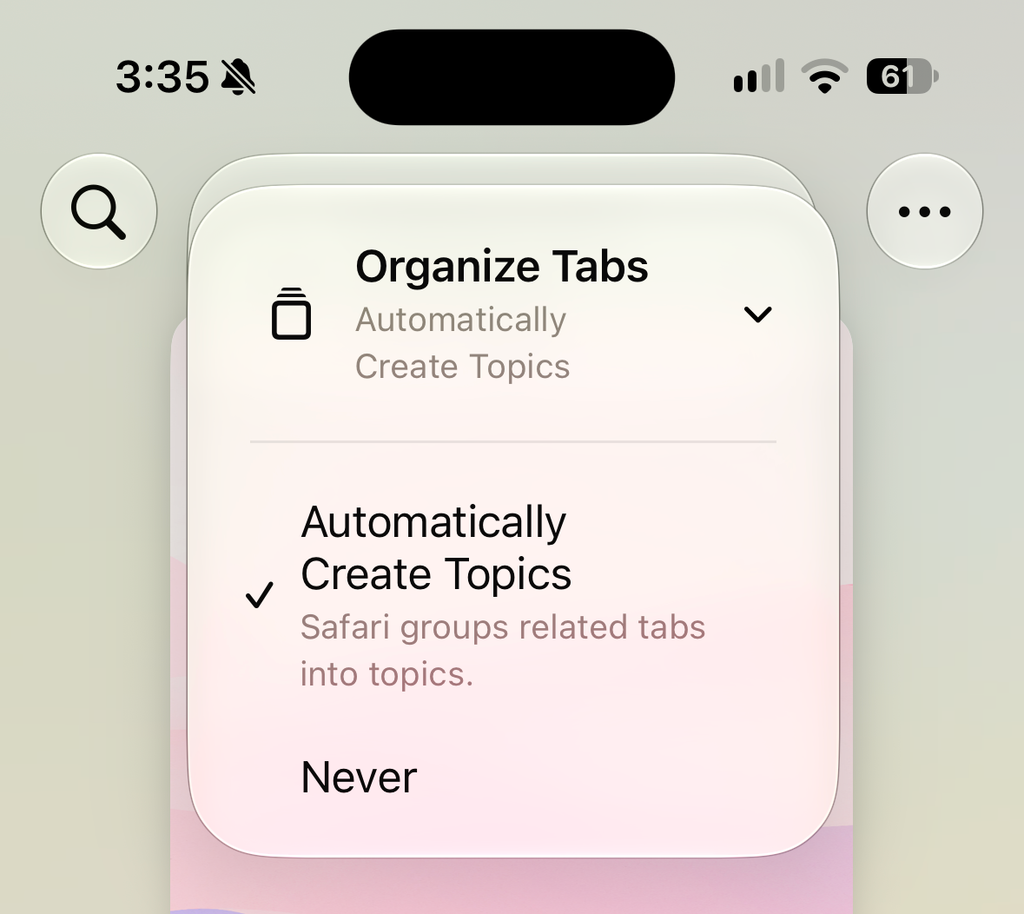
But in iOS 27, Safari can use artificial intelligence to organize your tabs into relevant topics. Topics are groups of tabs that are all related to the same thing, such as travel sites for business flights, research on a particular subject, or articles by the same author. Letting Safari automatically create topic groupings makes it easier to access the webpages you need when you need them.
You can enable Topic tabs in Safari by tapping the Tabs button, then selecting the Organize tabs button (the one with three stacked lines) at the top of the screen. From the dropdown menu, tap Organize Tabs and then tap Automatically Create Topics.
Speak naturally to create calendar events
The Calendar app on the iPhone is probably one of the most frequently used apps for managing your workweek. It’s where we keep track of all our meetings and events. Yet manually entering a new calendar event on the iPhone has always been tedious, requiring numerous taps to select the date, time, location, attendees, and event name across numerous fields.
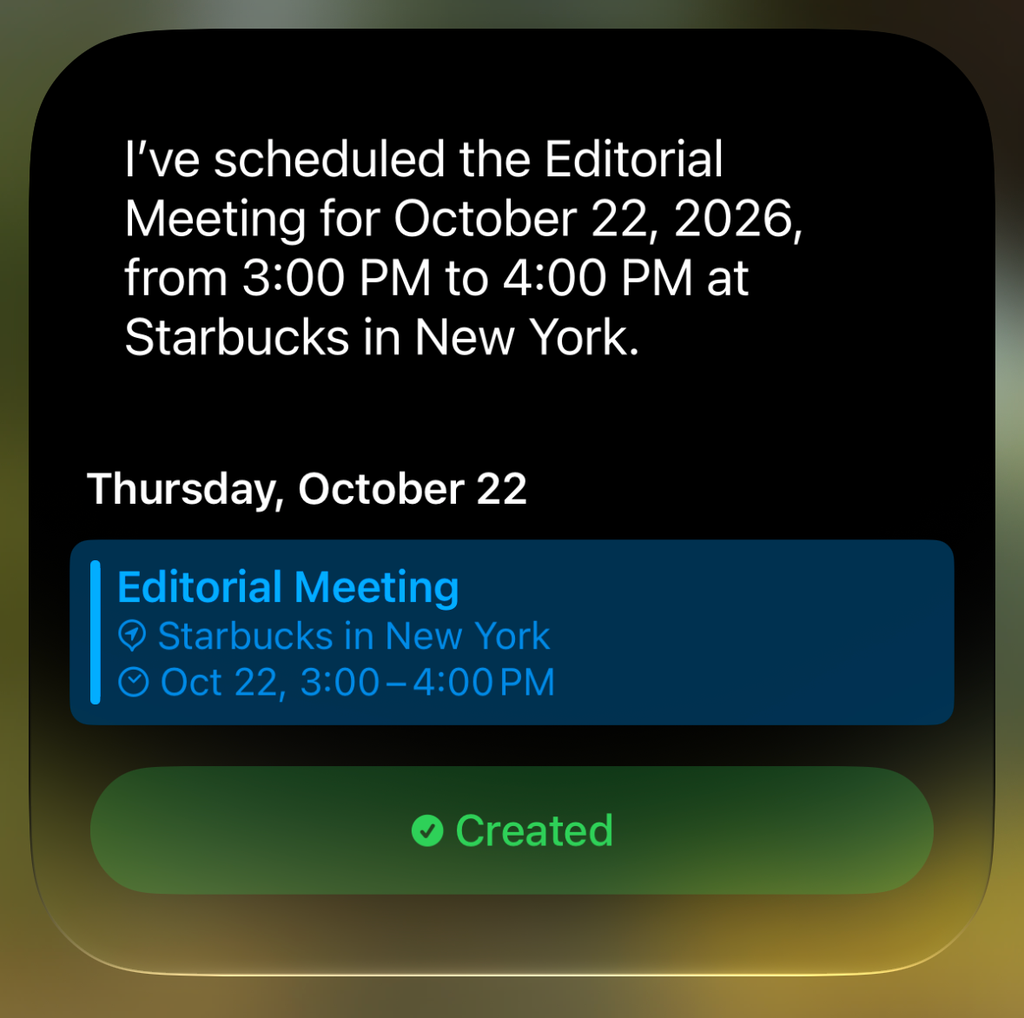
With iOS 27, you can say goodbye to manual input and use natural language to tell Siri to create a new calendar event. Simply say something like “Create a new event for September 3. It’s the editorial meeting. We’ll have it at the local Starbucks. It’ll begin at 3 p.m.”
Siri will then use this information to construct a new event in your Calendar. It’ll even ask follow-up questions, like what you want to call the event if you haven’t provided a description.
Make your notes more organized
Not all of iOS 27’s productivity-boosting features are AI-powered. The iPhone’s excellent Notes app has received a few relatively minor, yet extremely useful, new features for power users, making it easier than ever to organize information within a single note.
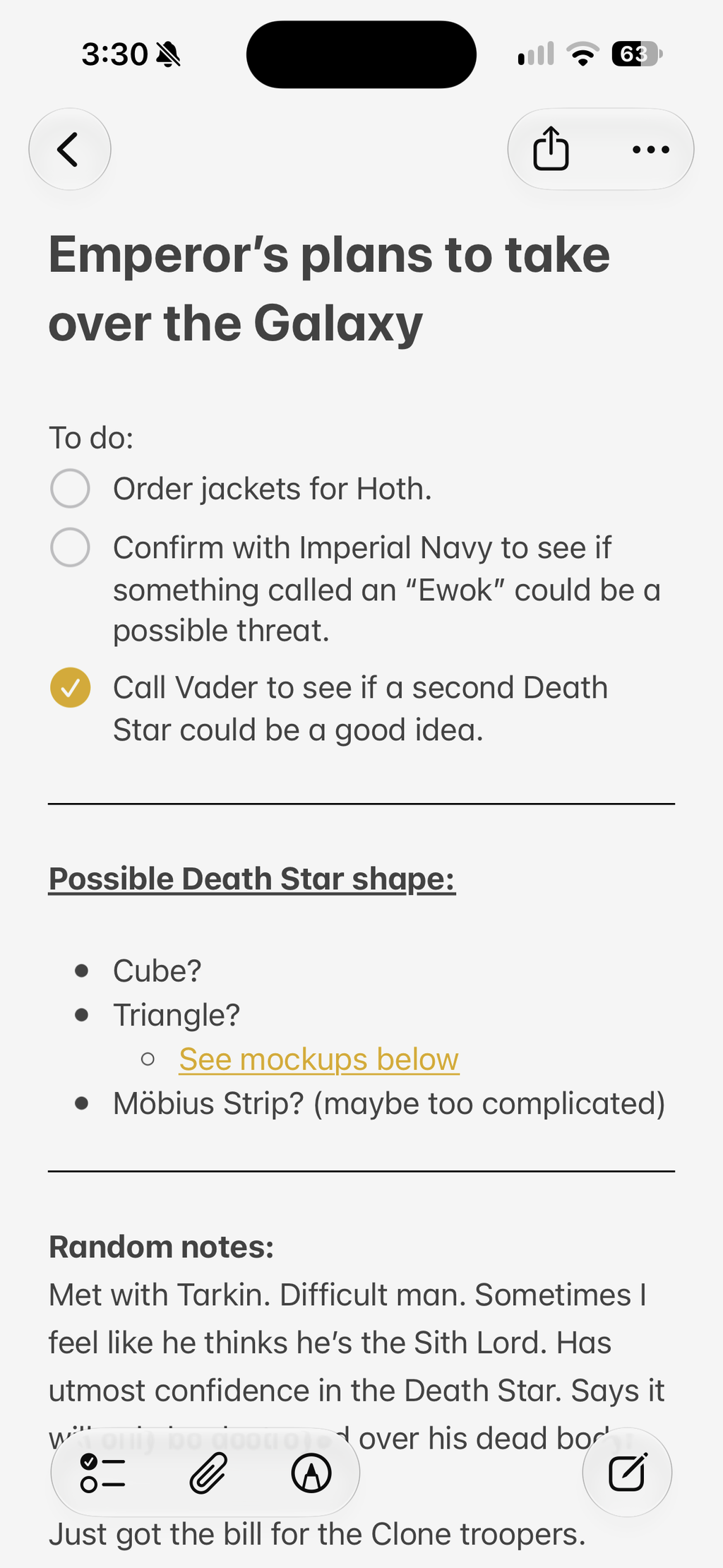
The first feature lets you create clearer visual breaks between sections of a note. This is achieved through the new divider line tool. Simply press and hold anywhere in a note, then choose Insert Divider Line from the pop-up menu. This will place a uniform line across the note, cleanly demarcating the text above the divider line from the text below.
Another welcome organizational feature in the Notes app is the ability to create section links within a single note. Section links are hyperlinks that, when tapped, take you to the corresponding section header within the same note. The section links tool is a godsend for those who take lengthy notes with multiple headers throughout the document.
To create a section link, highlight the text you want to link, then tap the Add Link button from the pop-up menu. Under Link to Section, tap the section header you want the text to link to.
iOS 27 is a free download and can run on any iPhone that supports iOS 26.