
Close Menu
    Facebook X (Twitter) Instagram
    TRENDING :
    • How to Turn Your Real-Life Experience Into Established Authority
    • Far-Left Activist First Circuit Judges Block Trump’s Historic Election Integrity Executive Order in 23 Blue States — Protecting Mail-In Ballot Chaos Ahead of 2026 Midterms * The Gateway Pundit * by Jim Hᴏft
    • Want part of Amazon’s $2.5 billion settlement? The deadline is Monday
    • There Is No Question in My Mind – Democrats Are the EVIL Party, Very Similar to What We Saw in Germany in 1932″ (VIDEO) * The Gateway Pundit * by Jim Hoft
    • Cyclosporiasis update: CDC says parasite outbreak just spread to 4 new states. Full list of where to skip the lettuce
    • Jesse Kelly and Katie Zacharia Weigh in on the Midterm Elections “We Won the House, the Senate and all Seven Swing States and Yet, we are Sitting on our Hands When We Have an Opportunity” – (VIDEO)
    • The ‘Bayou Barbie’ finally has her own Barbie doll. Here’s where to buy it
    • Worse Than Graham Platner? Troubling Personal Questions Emerge for Maine’s New Democrat Nominee for Senate – And He May Be Ineligible to Run
    Populist Bulletin
    • Home
    • US Politics
    • World Politics
    • Economy
    • Business
    • Headline News
    Populist Bulletin
    Home»Business»4 MacBook Neo productivity apps you need to try right now
    Business 5 Mins Read

    4 MacBook Neo productivity apps you need to try right now

    Business 5 Mins Read
    Share Facebook Twitter Pinterest LinkedIn Tumblr Telegram Email Copy Link
    Follow Us
    Google News Flipboard
    Share
    Facebook Twitter LinkedIn Pinterest Email


    This week, Apple’s newest laptop, the MacBook Neo, went on sale. Reviews of the device have been almost universally positive, with many praising the laptop’s starting cost of just $599—a price point few expected Apple would ever reach for a notebook computer.

    Apple is clearly positioning the affordable machine as a productivity device for use in two main areas: education and the workplace. Indeed, imagery on the MacBook Neo’s product page features many of the most essential productivity apps used by students and workers, including Microsoft Word and Excel, Slack, Canva, Box, Keynote, and more.

    Yet if you’ve picked up a Neo for use in work or school, you should know that there are plenty of additional Mac apps that can elevate your productivity. Here are four cool and unexpected ones you should check out to take your MacBook Neo productivity to the next level.

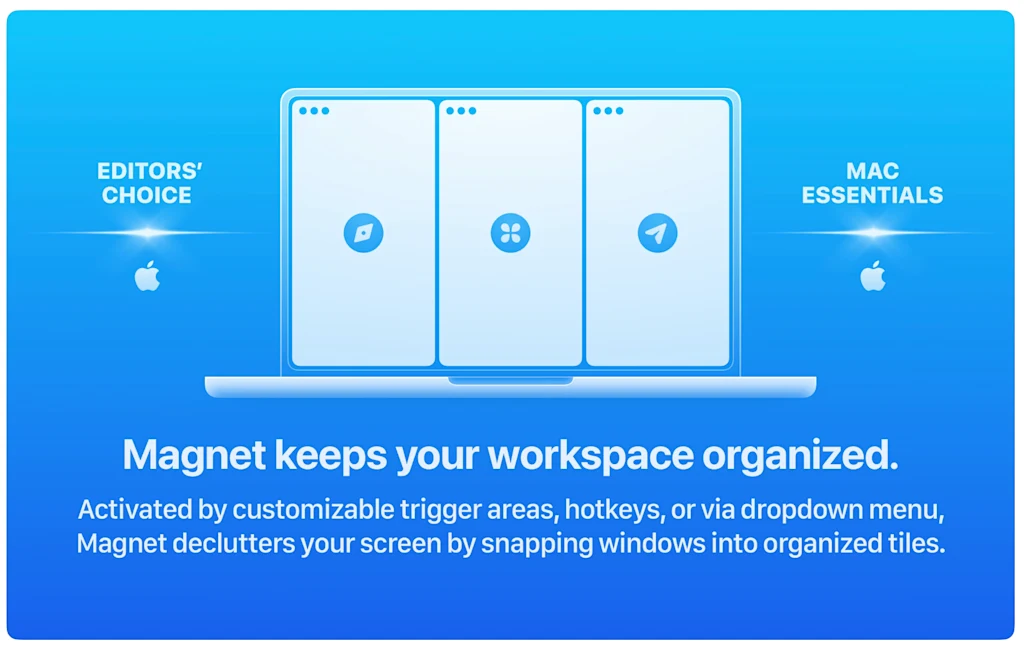
    Magnet keeps your workspace organized on the MacBook Neo’s small screen

    One reason Apple can keep the price of the Neo so low is that it has the smallest display of any MacBook. At just 13 inches, the Neo has a smaller screen than both the 13.6-inch MacBook Air and 14-inch MacBook Pro. But smaller screen sizes mean that you have less desktop real estate to manage your overlapping windows, so things can get crowded fast.

    [Screenshot: Bootcode A.S.]

    Enter Magnet. This useful app helps you organize your desktop workspace in a snap. Magnet instantly moves your apps into a tiled pattern of your choice. For example, if you have a web browser, an email client, and a chatbot open, you can quickly arrange them into three neat windows on your screen. Or, you can use Magnet to snap one app to the left half of your screen, while the other two apps each fill one-quarter of the right side. The tiled arrangements are up to you.

    Magnet perfectly aligns window sizes with a click, so you don’t have to waste time resizing your app windows manually, leaving more time for productivity.

    Glide sharpens your reading focus

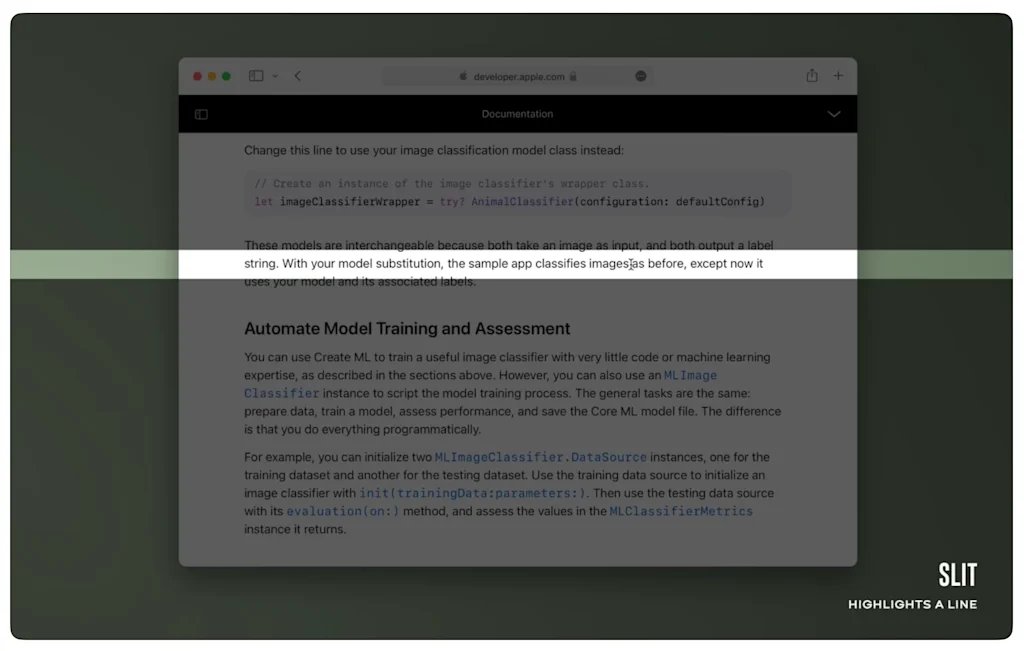
    Small screens like Neo’s can also make it harder to focus on your content, especially when reading long text documents. Sentences in a document or web page can blend together over time, and if we look away for a moment, it might take a few moments to find the sentence we were reading, breaking our concentration.
    [Screenshot: Applorium Ltd]

    That’s where Glide comes in. The app dims your entire screen except for a narrow band running across its full width. This band functions as a rectangular spotlight that highlights your text and follows your cursor. The idea is to make it hover over the line you’re reading, which helps you focus. It also acts as a helpful visual cue of where you left off in the document when you return to your computer after stepping away.

    Perplexity is the AI chatbot Apple Intelligence should have been

    Apple markets the MacBook Neo as a great computer for using its Apple Intelligence tools. The problem, though, is that Apple Intelligence is a pretty disappointing AI platform. Everything from its writing to its image generation tools is fairly lackluster compared to other AI options.
    [Screenshot: Perplexity AI, Inc.]

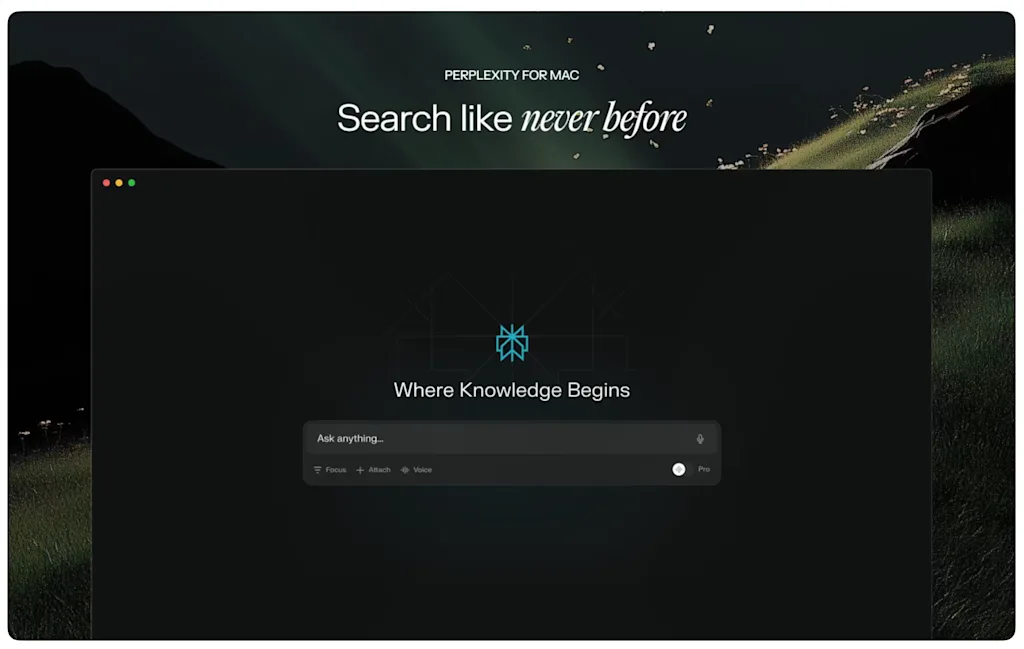
    But the biggest drawback of Apple Intelligence is that you can’t use it like most people are accustomed to using AI: in a chatbot format. Sure, you can ask Apple Intelligence questions via voice or text, but the platform doesn’t provide a history of your conversations, and the answers it gives, frankly, aren’t very good.

    That’s why Neo owners should download the Perplexity app. This is the chatbot Apple didn’t include with the Neo. It’s also notably better than competitors like ChatGPT at research tasks, such as the kind you do for school or work, because it cites where it found the answers it provides to you.

    Soulver 3 is the calculator for people who prefer words over math

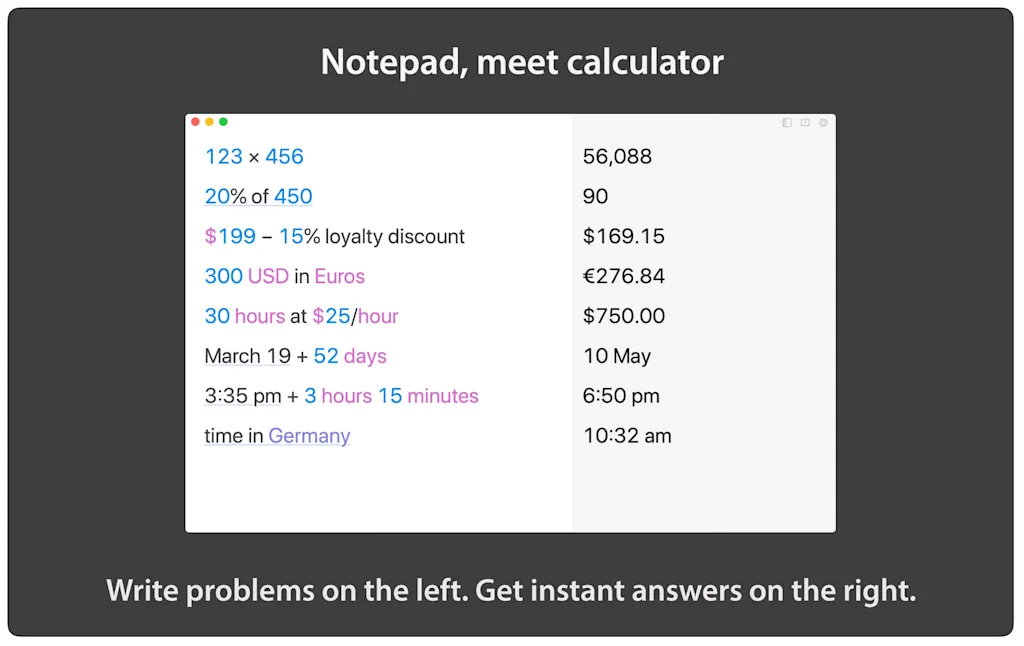
    In both work and school, we often perform tasks that involve calculations. The new MacBook Neo has a Calculator app, but it’s quite basic. It also relies on your knowing the correct formulas to get accurate answers. If you don’t know how to formulate the equation for, say, the price of a $3,500 widget order after a 17% discount is applied, the standard Calculator app is useless anyway.
    [Screenshot: Acqualia Software]

    If you struggle with formatting equations, Soulver 3 is a game-changer. The app is part notepad, part calculator, which allows you to input equations using natural language prompts. For example, with the scenario above, it doesn’t matter if I don’t know the exact formula for calculating a percentage discount. I can simply type “17% off $3,500” into Soulver 3, and it will return the answer ($2,905.00). 

    Even in an era of artificial intelligence, Soulver 3 is one of the most useful apps your Neo can offer, since LLM chatbots remain pretty bad at performing math computations. 


    Source link

    Share. Facebook Twitter Pinterest LinkedIn Tumblr Email

    Related Posts

    How to Turn Your Real-Life Experience Into Established Authority

    July 25, 2026

    Want part of Amazon’s $2.5 billion settlement? The deadline is Monday

    July 25, 2026

    Cyclosporiasis update: CDC says parasite outbreak just spread to 4 new states. Full list of where to skip the lettuce

    July 25, 2026
    Top News
    Headline News 3 Mins Read

    WhatsApp deletes over 6.8m accounts linked to scams, Meta says

    Headline News 3 Mins Read

    WhatsApp has taken down 6.8 million accounts linked to scammers targeting people around the world…

    The Kalshi-fication of everything

    December 11, 2025

    What to Know About Michigan LDS Church Shooting

    September 30, 2025

    Suspect Identified in Brutal Murder of SoCal Doctor and Wife in Chilling Twist | The Gateway Pundit

    December 3, 2025
    Top Trending
    Business 7 Mins Read

    How to Turn Your Real-Life Experience Into Established Authority

    Business 7 Mins Read

    Opinions expressed by Entrepreneur contributors are their own. Key Takeaways The AIB…

    World Politics 6 Mins Read

    Far-Left Activist First Circuit Judges Block Trump’s Historic Election Integrity Executive Order in 23 Blue States — Protecting Mail-In Ballot Chaos Ahead of 2026 Midterms * The Gateway Pundit * by Jim Hᴏft

    World Politics 6 Mins Read

    Credit: Wikimedia Commons A Biden-appointed majority on the First Circuit Court of…

    Business 3 Mins Read

    Want part of Amazon’s $2.5 billion settlement? The deadline is Monday

    Business 3 Mins Read

    If you’ve been an Amazon Prime member at some point in the…

    Categories
    • Business
    • Economy
    • Headline News
    • Top News
    • US Politics
    • World Politics
    About us

    The Populist Bulletin was founded with a fervent commitment to inform, inspire, empower and spark meaningful conversations about the economy, business, politics, government accountability, globalization, and the preservation of American cultural heritage.

    We are devoted to delivering straightforward, unfiltered, compelling, relatable stories that resonate with the majority of the American public, while boldly challenging false mainstream narratives that seem to only serve entrenched elitists, and foreign interests.

    Top Picks

    How to Turn Your Real-Life Experience Into Established Authority

    July 25, 2026

    Far-Left Activist First Circuit Judges Block Trump’s Historic Election Integrity Executive Order in 23 Blue States — Protecting Mail-In Ballot Chaos Ahead of 2026 Midterms * The Gateway Pundit * by Jim Hᴏft

    July 25, 2026

    Want part of Amazon’s $2.5 billion settlement? The deadline is Monday

    July 25, 2026
    Categories
    • Business
    • Economy
    • Headline News
    • Top News
    • US Politics
    • World Politics
    Copyright © 2025 Populist Bulletin. All Rights Reserved.

    Type above and press Enter to search. Press Esc to cancel.