
Close Menu
    Facebook X (Twitter) Instagram
    TRENDING :
    • Drowning Out the Noise | The Nation
    • Home prices are falling in these 89 housing markets—see what’s behind it
    • How to hide your sensitive info (for real) when using ChatGPT and other AI chatbots
    • The bigger point the DoorDash Grandma squabble missed
    • An Etsy-style retail chain abruptly closed all of its stores, leaving customers and vendors blindsided
    • Anthropic launches an AI design tool to take on all the other AI design tools
    • New data: Associate degrees, community college on the rise as students ditch traditional 4-year bachelor’s
    • Jim Farley on why Ford is doubling down on affordable EVs
    Populist Bulletin
    • Home
    • US Politics
    • World Politics
    • Economy
    • Business
    • Headline News
    Populist Bulletin
    Home»Business»Windows, Mac, Android, or iPhone: Save this keyboard cheat sheet now
    Business 3 Mins Read

    Windows, Mac, Android, or iPhone: Save this keyboard cheat sheet now

    Business 3 Mins Read
    Share Facebook Twitter Pinterest LinkedIn Tumblr Telegram Email Copy Link
    Follow Us
    Google News Flipboard
    Share
    Facebook Twitter LinkedIn Pinterest Email


    If you’re an old-school writer like me, usually the words alone are all you need. But once in a while, you need something extra.

    I’m referring to all the special symbols that don’t appear on your keyboard. Maybe you need to mark something as copyrighted with a ©, or you want to rave about the £8 order of fish and chips on your recent trip to London. Perhaps you’re a mathematician who’s working with π. ¿Y qué pasa si necesitas escribir una pregunta en español?

    Instead of having to dig deep into your virtual keyboard’s corners or memorize ASCII character codes, there’s a free website you can use to copy these symbols and more directly to your clipboard for easy anywhere-pasting—no matter what kind of device you’ve got in front of you.

    This tip originally appeared in the free Cool Tools newsletter from The Intelligence. Get the next issue in your inbox and get ready to discover all sorts of awesome tech treasures!

    Your special character cheat sheet

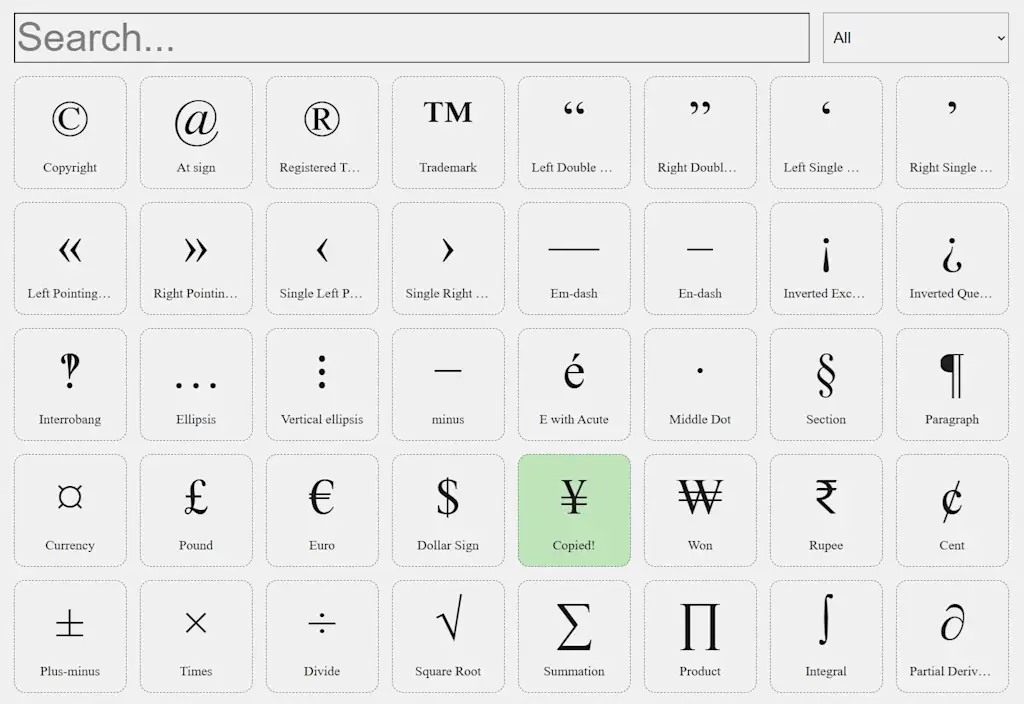
    To look up all those extra symbols that aren’t on your keyboard, just head to Symbol.wtf.

    ➜ Symbol.wtf is a single-page website with a searchable list of special characters.

    ⌚ It takes just a few seconds to find whatever symbol you need.

    ✅ Clicking a symbol copies it to your clipboard so you can paste it into any text field—with no sign-ups, ads, or usage limits.

    Symbol.wtf offers 195 commonly used characters, including punctuation, currency, accent letters, arrows, musical symbols, and even ♥ ♦ ♣ ♠ playing card suits.

    Symbol.wtf makes it swift and simple to find any symbol.

    The whole list is easy enough to scroll through, but there’s also a search bar and a list of filtering options at the top. The hardest part of using it is remembering the Symbol.wtf URL, but I just think to myself “What the f‽«≠ was that symbol site again?” and that usually jogs my memory well enough.

    🤔 What about emoji?

    The characters you find on Symbol.wtf are not emoji, which are defined separately under the Unicode standard. If you’re typing on a phone, your keyboard almost certainly has an emoji button for looking up these symbols.

    What if you’re not on your phone, though? You could bring up your computer’s emoji picker by pressing Win + . (on Windows), Fn/🌐 + E (on a Mac), or Search + Shift + Space (on a Chromebook).

    📌 But if that fails for whatever reason, you could just head to Unicode.party. Much like Symbol.wtf, it’s a searchable list of symbols—which you can click to copy to your clipboard. There’s a skin tone selector at the top, and the search results are pretty much instantaneous.
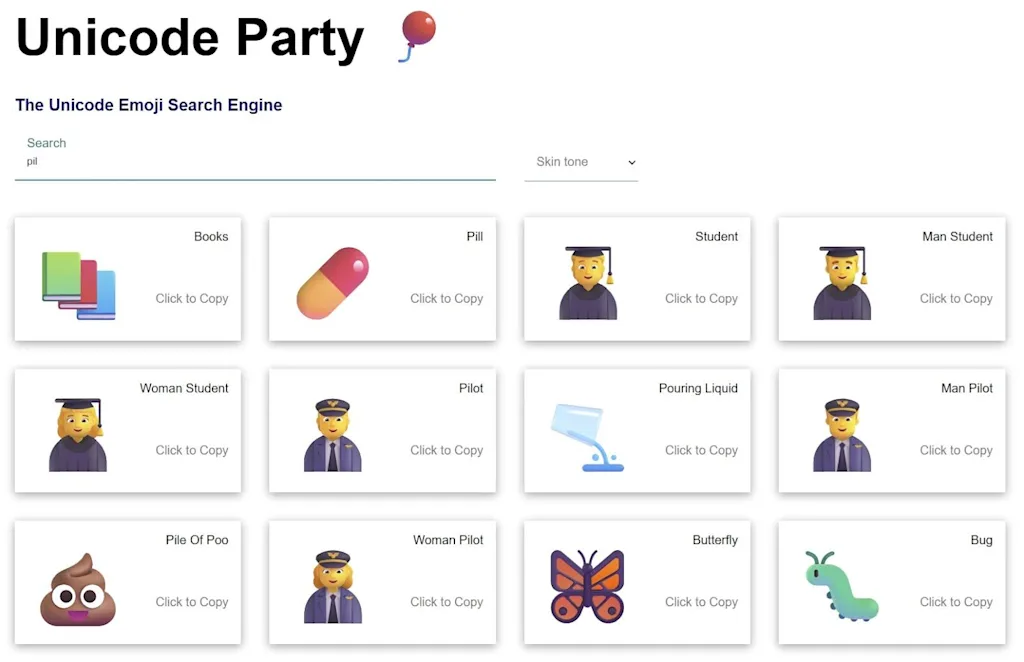
    Unicode Party puts every emoji imaginable at your fingertips in an easily searchable list.

    Just don’t let any young folks know you’re looking up your emoji this way, because you know how they’ll respond. 🙄🙄🙄

    • Symbol.wtf and Unicode.party both work in any web browser.
    • They’re free to use with no ads or usage limits.
    • No sign-up is required, and neither site does any tracking of your usage.

    Treat yourself to all sorts of brain-boosting goodies like this with the free Cool Tools newsletter—starting with an instant introduction to an incredible audio app that’ll tune up your days in truly delightful ways.


    Source link

    Share. Facebook Twitter Pinterest LinkedIn Tumblr Email

    Related Posts

    Home prices are falling in these 89 housing markets—see what’s behind it

    April 18, 2026

    How to hide your sensitive info (for real) when using ChatGPT and other AI chatbots

    April 18, 2026

    The bigger point the DoorDash Grandma squabble missed

    April 18, 2026
    Top News
    Business 12 Mins Read

    10 Essential Tips for Managing Employee Benefits Effectively

    Business 12 Mins Read

    Managing employee benefits effectively is vital for nurturing a productive workplace. By comprehending employee needs…

    ICE Deports Chinese National Convicted of Drone Photography of Military Site

    August 18, 2025

    Why the best leaders treat their wardrobe like a strategic tool

    January 7, 2026

    Leftist Terrorist Threats Continue After Charlie Kirk Assassination | Drew Hernandez | The Gateway Pundit

    September 27, 2025
    Top Trending
    US Politics 13 Mins Read

    Drowning Out the Noise | The Nation

    US Politics 13 Mins Read

    The Weekend Read / April 18, 2026 How music became the cathartic…

    Business 6 Mins Read

    Home prices are falling in these 89 housing markets—see what’s behind it

    Business 6 Mins Read

    Want more housing market stories from Lance Lambert’s ResiClub in your inbox? Subscribe to the ResiClub newsletter.…

    Business 6 Mins Read

    How to hide your sensitive info (for real) when using ChatGPT and other AI chatbots

    Business 6 Mins Read

    Like many, I’ve never met a chatbot I trust completely. Not only…

    Categories
    • Business
    • Economy
    • Headline News
    • Top News
    • US Politics
    • World Politics
    About us

    The Populist Bulletin was founded with a fervent commitment to inform, inspire, empower and spark meaningful conversations about the economy, business, politics, government accountability, globalization, and the preservation of American cultural heritage.

    We are devoted to delivering straightforward, unfiltered, compelling, relatable stories that resonate with the majority of the American public, while boldly challenging false mainstream narratives that seem to only serve entrenched elitists, and foreign interests.

    Top Picks

    Drowning Out the Noise | The Nation

    April 18, 2026

    Home prices are falling in these 89 housing markets—see what’s behind it

    April 18, 2026

    How to hide your sensitive info (for real) when using ChatGPT and other AI chatbots

    April 18, 2026
    Categories
    • Business
    • Economy
    • Headline News
    • Top News
    • US Politics
    • World Politics
    Copyright © 2025 Populist Bulletin. All Rights Reserved.

    Type above and press Enter to search. Press Esc to cancel.