
Close Menu
    Facebook X (Twitter) Instagram
    TRENDING :
    • Top developers are shifting from chatbots to physical AI. Here’s why
    • Goldman Sachs and JPMorgan pushed hard for a 5-day-a-week return to office. Why they’re now letting employees work from home
    • Progressives Are Winning Big. Here’s How We Keep It Up.
    • A Berkeley AI professor makes a provocative argument for decelerating AI research
    • Adapting the American workforce to the AI era is this nonprofit’s aim. Here’s how they’re doing it
    • Russell Vought’s Latest Plan to Gut the Government Should Terrify You
    • She dropped out of college at 18. Now her hardware-as-a-service startup is disrupting a multibillion-dollar industry
    • Epstein Files | The Nation
    Populist Bulletin
    • Home
    • US Politics
    • World Politics
    • Economy
    • Business
    • Headline News
    Populist Bulletin
    Home»Business»5 free Windows apps that outperform the built-in ones
    Business 4 Mins Read

    5 free Windows apps that outperform the built-in ones

    Business 4 Mins Read
    Share Facebook Twitter Pinterest LinkedIn Tumblr Telegram Email Copy Link
    Follow Us
    Google News Flipboard
    Share
    Facebook Twitter LinkedIn Pinterest Email


    It’s not the coolest phrase in the world to utter, but here goes: I love Windows.

    Maybe you do too. Maybe you don’t, but you’re forced to use it for work. Whatever the case, for all its positives, Microsoft Windows also bundles in a handful of tools that are either bafflingly archaic or simply underpowered for the demands of the modern user.

    The good news? The best things in life are often free, and it’s never been easier to swap out some of Windows’ default bloat for great free replacements. Here are five that are worth the download.

    Trade File Explorer for Files

    The native File Explorer has received a facelift and tabs, sure, but it still feels sluggish and lacks modern organizational features, and navigating between multiple locations is still clunky. It’s a glorified folder viewer.

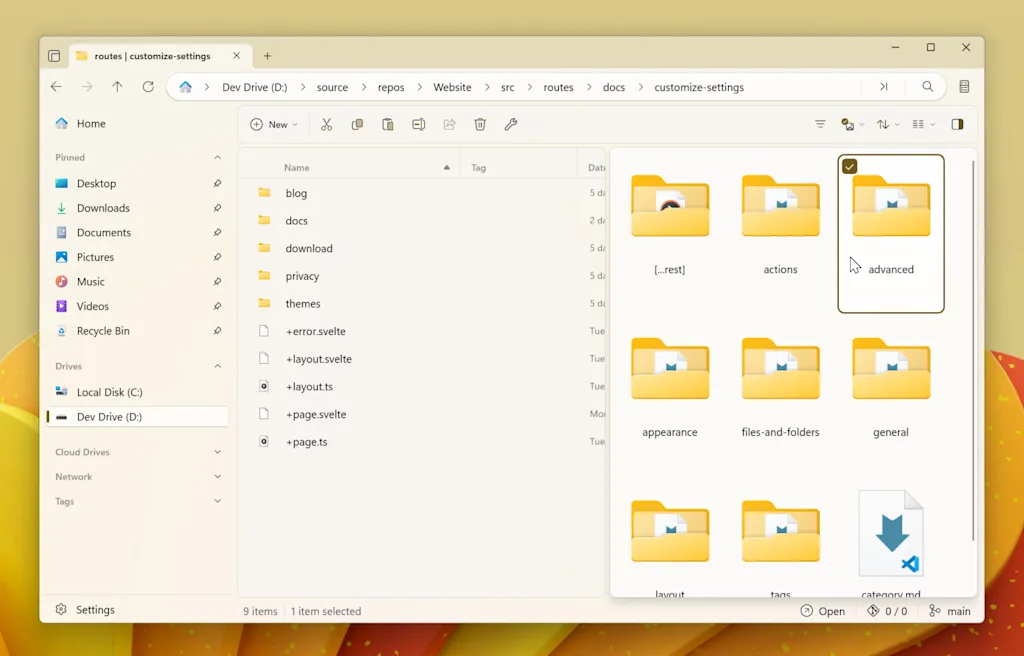
    Say hello to Files. This is the file manager Windows should have right now. It’s gorgeous, embracing the sleek Fluent Design of Windows 11 and, more importantly, it features a dual-pane view for dragging files between locations like a pro.

    It also supports file tagging, so you can stop relying on rigid folder hierarchies and start organizing your documents with custom, color-coded tags. And the chef’s kiss: integration with popular cloud drive services.

    Trade Windows Search for Everything

    You hit the search bar, type in the name of a file you know is there, and then watch the little dots dance. Windows Search indexing is notoriously slow and resource-heavy.
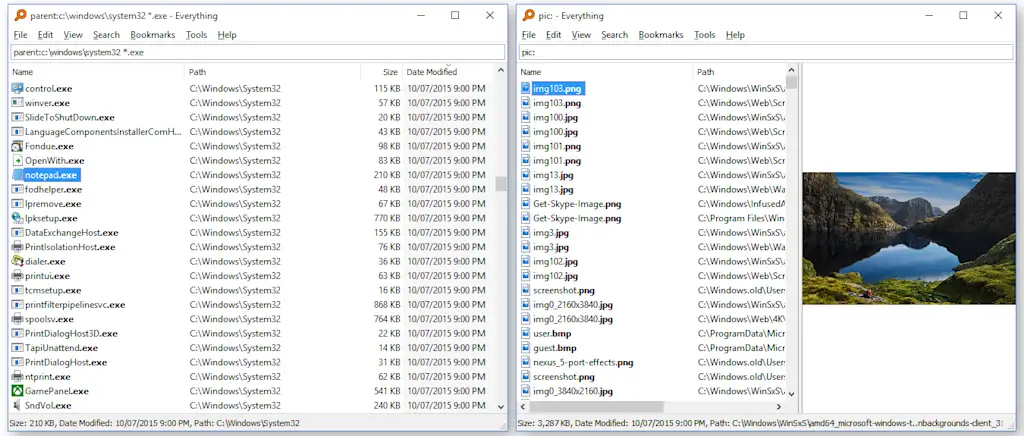
    Instead, try Everything by Voidtools. Instead of indexing file contents, this utility indexes only the file and folder names on your drives. The result is pure speed.

    You start typing, and the results appear instantly. If you know the name of the file you want, Everything will find it before you’ve finished the first syllable.

    Trade the Snipping Tool for ShareX

    The built-in Snipping Tool gets the job done if the job is “take a picture and save it.” But what if you need to capture a scrolling window, annotate with arrows, and instantly upload the image to a shareable link?
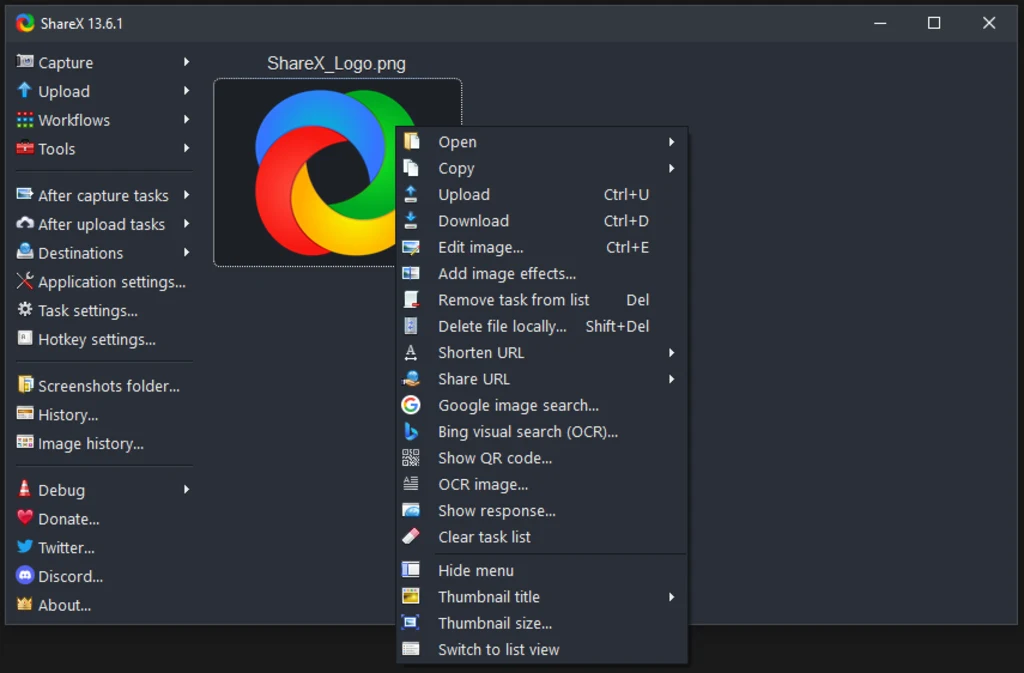
    That’s where ShareX shines. This open-source utility turns a simple screenshot into a complete workflow. After you capture your region (with advanced options like scrolling capture), ShareX can automatically upload it to dozens of online services, shorten the link, and copy that link to your clipboard.

    It eliminates the manual steps of saving, opening the browser, and uploading. It’s a massive productivity multiplier.

    Trade Notepad for Notepad++

    Notepad is a fossil: a blank canvas that knows how to hold text and nothing else. It’s great for pure simplicity, but utterly useless for anything that requires even a basic level of efficiency, like viewing source code or editing config files.
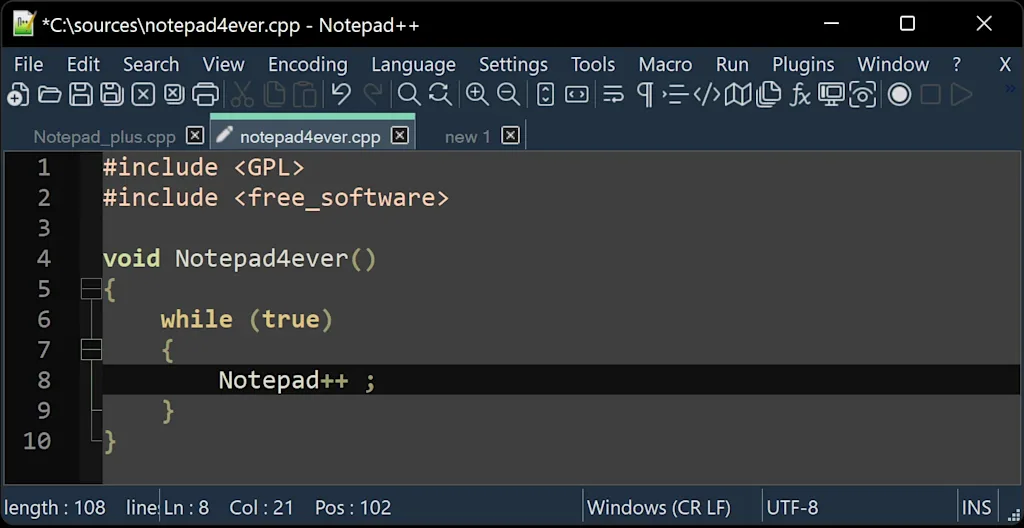
    Notepad++ isn’t just a better text editor; it’s a standard utility for developers and power users.

    It offers tabbed document viewing, syntax highlighting for dozens of languages, and incredibly powerful search-and-replace functionality. It manages large files beautifully and supports the kinds of macros and plug-ins that make working with text-based data infinitely smoother.

    Trade Sound Recorder for Audacity

    Windows’ current Sound Recorder is strictly for capturing audio: a basic, single-track utility with zero editing capability. If you want to trim the beginning, remove background noise, or layer tracks, you’re out of luck.
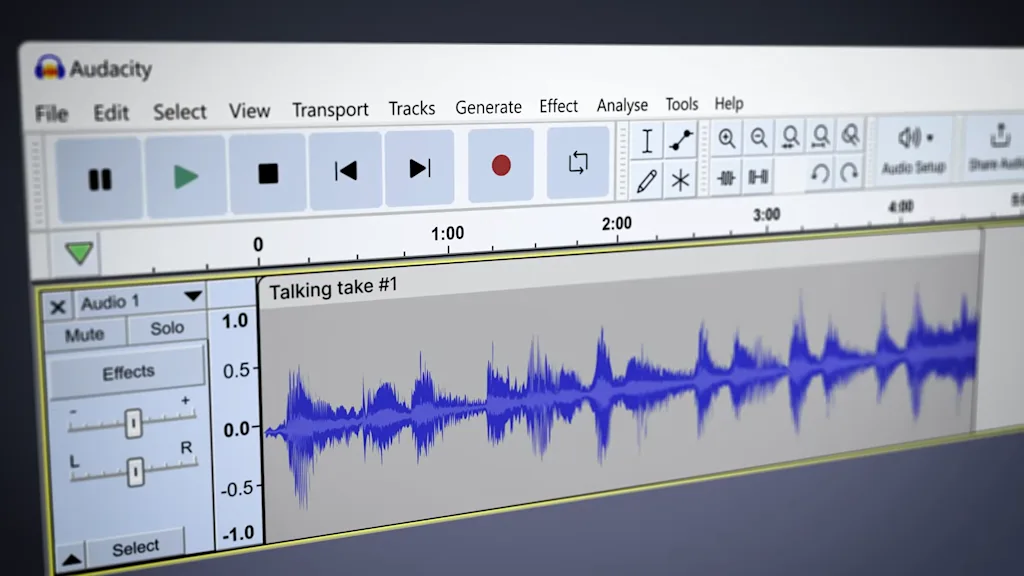
    The godfather of free, open-source audio editing, Audacity is a full-fledged, multitrack digital audio workstation (DAW) that costs zero dollars.

    You can record, edit, mix, and convert audio with a vast library of free effects and tools. Whether you’re cutting an interview clip, cleaning up a podcast recording, or digitizing an old cassette, Audacity offers pro-level features that blow the built-in Windows recorder out of the water.


    Source link

    Share. Facebook Twitter Pinterest LinkedIn Tumblr Email

    Related Posts

    Top developers are shifting from chatbots to physical AI. Here’s why

    June 25, 2026

    Goldman Sachs and JPMorgan pushed hard for a 5-day-a-week return to office. Why they’re now letting employees work from home

    June 25, 2026

    A Berkeley AI professor makes a provocative argument for decelerating AI research

    June 25, 2026
    Top News
    World Politics 2 Mins Read

    George Washington University Faces Pressure To Become ‘Sanctuary Campus’ | The Gateway Pundit

    World Politics 2 Mins Read

    In accordance with Campus Reform, “Greater than 45 scholar teams at George Washington College (GWU) signed…

    MetLife Stadium? Lumen Field? Not during the World Cup

    June 12, 2026

    The United States Has Always Been a Trickster Land

    October 15, 2025

    Zoox is coming to Austin and Miami—and gearing up for a bigger robotaxi push

    March 24, 2026
    Top Trending
    Business 6 Mins Read

    Top developers are shifting from chatbots to physical AI. Here’s why

    Business 6 Mins Read

    Computer scientist Louis Castricato was in his eighth year studying large language…

    Business 3 Mins Read

    Goldman Sachs and JPMorgan pushed hard for a 5-day-a-week return to office. Why they’re now letting employees work from home

    Business 3 Mins Read

    Some of the biggest sticklers in the return-to-office movement have been big…

    US Politics 9 Mins Read

    Progressives Are Winning Big. Here’s How We Keep It Up.

    US Politics 9 Mins Read

    Some lessons from the triumphant New York City primaries. Ad Policy A…

    Categories
    • Business
    • Economy
    • Headline News
    • Top News
    • US Politics
    • World Politics
    About us

    The Populist Bulletin was founded with a fervent commitment to inform, inspire, empower and spark meaningful conversations about the economy, business, politics, government accountability, globalization, and the preservation of American cultural heritage.

    We are devoted to delivering straightforward, unfiltered, compelling, relatable stories that resonate with the majority of the American public, while boldly challenging false mainstream narratives that seem to only serve entrenched elitists, and foreign interests.

    Top Picks

    Top developers are shifting from chatbots to physical AI. Here’s why

    June 25, 2026

    Goldman Sachs and JPMorgan pushed hard for a 5-day-a-week return to office. Why they’re now letting employees work from home

    June 25, 2026

    Progressives Are Winning Big. Here’s How We Keep It Up.

    June 25, 2026
    Categories
    • Business
    • Economy
    • Headline News
    • Top News
    • US Politics
    • World Politics
    Copyright © 2025 Populist Bulletin. All Rights Reserved.

    Type above and press Enter to search. Press Esc to cancel.