
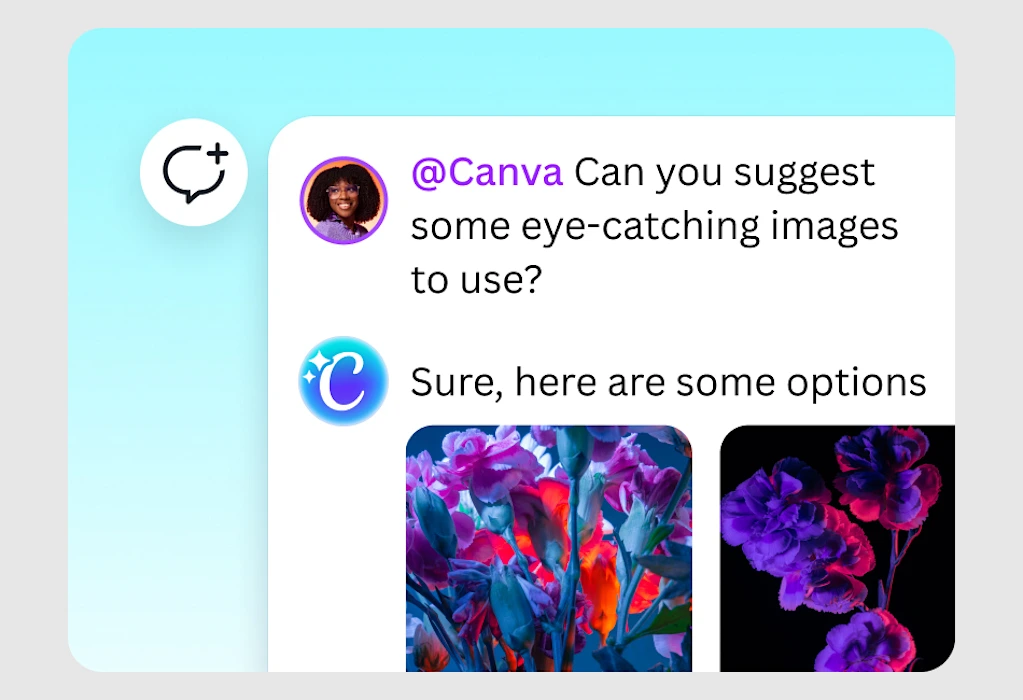
Generative AI ranges from gimmicky to powerful, depending on its context. But the biggest shortcoming is that whatever you make isn’t really all that editable— you typically have to juggle several apps to get the outcome you want.
Now, a new update to Canva, called Ask @Canva, makes just about everything you’re working on editable by AI with a tap and a request.
Ask @Canva is built upon Canva’s first foundational model—an AI model it trained in-house specifically for its own purposes. Instead of generating static designs, it produces new projects as full, editable design templates. That means when Canva uses AI to generate your slide deck or social post, all of the text and photos are discreetly editable with the same basic interface Canva has offered for years.
Typography is pulled from its library to match the tone of your work. Images and illustrations are generated by default, but swappable with your own.
At the core of all of Canva’s UX is invisible AI arranging and rearranging your work with aesthetic balance. But now, Canva is putting generative AI within close reach on every element in your work.
Think of Ask @Canva as a design intern, or perhaps “save me!” button, that you can request to redesign or rewrite any element on the page—and even critique your entire project.
How Ask @Canva works
The feature follows Canva’s aggressive adoption of generative AI into its UX. In 2023, Canva was the first in its peer group to bring barebones generative AI into its app. Then in 2024, it introduced Magic Studio, a suite of AI tools that solved practical problems for users (like extending an image or creating a simple animation). Earlier this year, it introduced the Visual Suite 2.0—its biggest front end redesign in 13 years, which basically consolidates a lot of the app and its varying templates within a single window, so you could completely rebuild your project, switching it from a slide deck to a website, all while remaining within your main canvas in the Canva app.
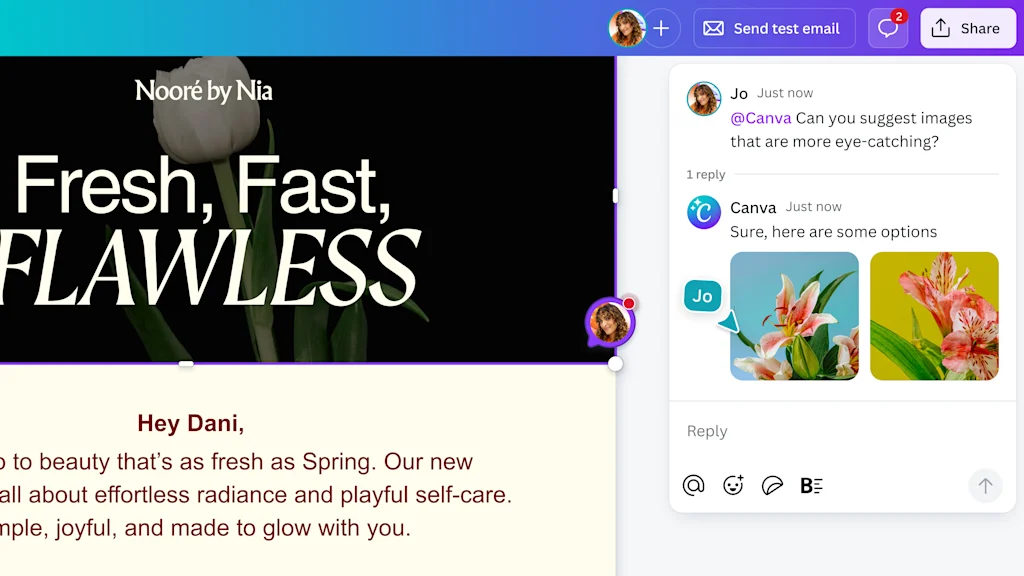
With its new model, Canva is repositioning its app as a “creative operating system” that uses AI to bind all media together. All of Canva’s “just make it for me” AI tools should improve alongside the update. There is one big difference, however, in terms of Canva’s new approach to AI beyond mere improvements to the model: Now, when you select anything on a page—a block of text, an image, a background color—a tooltip pops up with an option to “Ask @Canva.” Tap it, and you can simply ask the software to do whatever you’d like it to do to the asset in plain language—as if you’re talking to a colleague, but the colleague is a robot.
“Ask Canva is part of our commenting . . . system, and it now lets you interact with Canva like it’s a collaborator,” explains Cameron Adams, cofounder and chief product officer at Canva.
What makes Ask @Canva so powerful is that it understands both the element you’re highlighting and its context within the greater project you’re editing. So you might ask Canva to change an image’s illustration style to better match others on the page (a method traditionally known as style transfer). In a demo, Adams successfully asks the system to make a slice of pizza “float in space.” These AI edits all happen in situ.
That said, you can also use Ask @Canva a step zoomed out, requesting its advice for how you should change your design. I’m amused when Adams does this, and Ask @Canva compliments his use of a purple-blue gradient (which is so on-brand for Canva I can’t tell if the AI understands its brand standards or if it’s algorithmic bias). But the AI also (astutely) calls out an unflattering contrast between the left and right sides of the page. It was the same critique I had waiting on my tongue.
Building AI into every layer of Canva
The human versus automated balance that Canva is working toward with AI has been interesting to track. You can now start any project by typing what you want into a Google Search-esque bar. Its AI will now ask you follow ups, too—about the topic and tone of your project—so that its first draft of whatever you want to create is as close to your vision as possible.
But Adams recognizes a lot of its customers still don’t do that. They prefer to work from Canva’s template library and just see a sample that resonates. With Ask @Canva, the company is likely appealing to these customers, too, by offering AI at a deeper layer of the project. Here, AI is not the tool used to start a project creatively from the top, but instead it’s entrenched deeply inside the interface to help solve a problem for which there may be no other ready tool.
“Every person is different, and it’s been the same [story] in software development for decades,” says Adams. “You’ve always needed to give people different approaches to the same problem, because some people are visual thinkers. Some people have no idea what they want on the page.”
For now, the great unifier of AI within Canva seems to be Ask @Canva: a tool hiding a click away for when everything else might fail. Yes, it’s another iteration of the prompt. But now, it’s not some grand orchestrator of your vision. Instead, it’s more like an emergency button available all the time, on every asset.